
11 Best Jira Alternatives to Consider in 2024
What is Jira?
If you're a developer, you're undoubtedly familiar with Jira, the industry-leading project management tool tailored for software development teams.
Developed by Atlassian, Jira boasts around 100k customers across 190 countries. Its robust feature set, including support for Scrum, Kanban, and Roadmaps, has made it a go-to choice for agile project management -- catering to individuals and enterprises alike.
Despite its widespread adoption though, many teams struggle with Jira's complex interface and dated features. Its pricing is also a significant barrier, with annual plans reaching a staggering $10,000 or more. This is just a gist of why teams using Jira often look for alternatives.
So, Is Jira really worth it?
Indeed, Jira excels at facilitating communication and offering extensive customizability.
But what else does it have in store? Let's have a look:
- Scrum Boards and Kanban Boards to track project commits, pull requests, etc. in a single place
- Dedicated charts like burndown, sprint, velocity, cumulative flow diagrams, workload, and time tracking reports help you manage projects with ease.
- Development Section where you can address issues and view repositories.
- Dashboards to dice and slice data from across projects.
As you can see, Jira has an impressive array of features. That said, it's not without its drawbacks. We've already talked about its complexity which baffles both non-technical users and seasoned developers.
Here's a look at other issues that justify the need for an alternative.
👉 Also Read: Best Jira Alternative (Feature Comparison)
Why is there a need for an alternative?
As already discussed, Jira's inherent complexity poses a significant challenge for its users. Exacerbating this issue is Jira's limited scope, as it primarily caters to IT and software development teams, forcing sales, customer success, and marketing teams to explore other options.
Other reasons why its users look for alternatives include:
- Steep Learning Curve - Jira is a tough nut to crack, especially for non-technical users. The lack of comprehensive onboarding resources, such as video tutorials or user guides, further complicates matters.
- Interface - Unlike its competitors, Jira's interface is a bit dated and requires some getting used to due to its complex navigation.
- Pricing - Since Jira targets a particular use case and does it very well, they charge an exorbitant amount for their uniqueness. Yet, over the years, more and more project management tools have integrated features that were once catered to only by Jira. SmartTask is one such example. It offers unlimited tasks, projects, and users for free.
Top 11 Alternatives for Jira
Now that we've explored some of Jira's drawbacks, let's take a look some compelling alternatives:
1. SmartTask
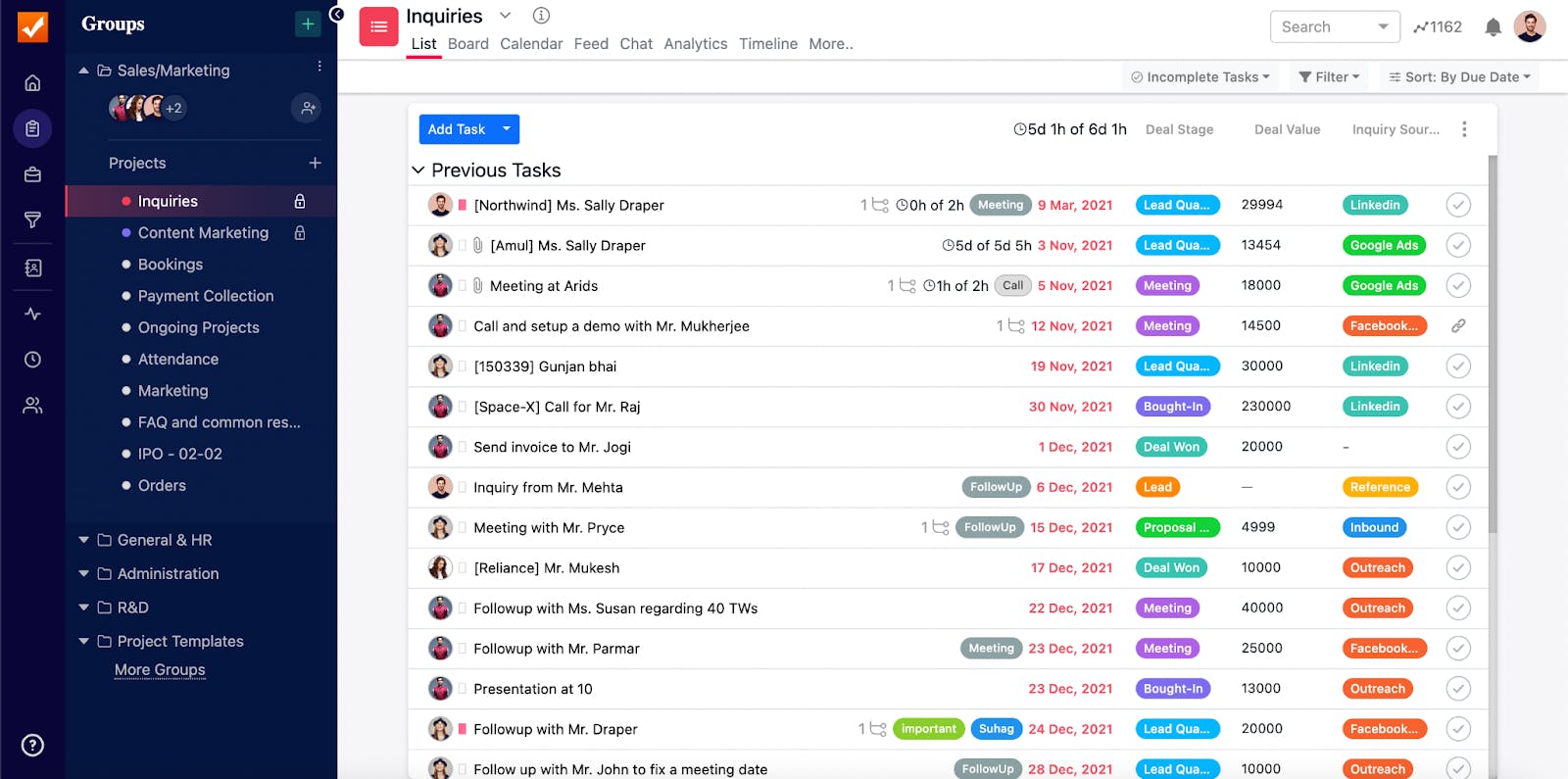
Simple yet powerful, SmartTask is one of the best project management software out there. It's a cloud-based all-in-one software that helps you manage your team’s tasks, projects, and workload. If you're looking for a tool with a simple interface and advanced PM features, SmartTask is your ideal choice...
SmartTask also integrates with applications like Slack, Mailchimp, SalesForce, Zapier, Jotform, Integromat, and other 1000+ tools.
Tracking and managing time spent across projects is a breeze with its inbuilt time tracker. It allows you to have video conferencing with clients and internal teams with the help of chat functionality.
SmartTask also has an inbuilt CRM that helps manage contacts, record calls, and check sales analytics. With custom charts, reports can be customized as per the metrics. Also, by using Project Dashboard, you can get an overview of multiple projects and your team.
Key Features
- Multiple Views - Manage tasks with views like List, Calendar, Board, Kanban, and Timeline view.
- Portfolio View - View and track multiple projects in one view.
- Workload View - Balance uneven distribution of work. Make sure no one is overloaded or underutilized. Also, predict resource requirements accurately.
- Email to Tasks - Create a task from the mailbox directly by just sending a mail.
- Custom Dashboards - Streamline your project reports and customize them as much as you want with the help of Custom Charts.
- Time Tracking - The best feature of SmartTask, probably. This feature helps you in recording the billable amount of every task and project.
- Automated Check-Ins - Save a lot of time by replacing boring meetings with Automatic Check-Ins.
- CRM - Manage Sales with the help of an inbuilt CRM that helps in call recording, contact, and lead management.
- Video Conferencing - You can set up a video conference with your client from SmartTask itself. There is no need for Zoom or Google Meet.
- 1000+ Integrations - You can connect with Zapier, Slack, Mailchimp, and more than 1000+ integrations with the help of SmartTask.
How is SmartTask better than Jira?
Jira helps in managing agile teams for software development whereas SmartTask is a generic app focused on various use-cases of software development, marketing teams, sales, and management teams.
While Jira’s interface may seem dated, SmartTask is very intuitive and has a very well-thought-out user experience.
Jira is difficult to understand and demands learning whereas SmartTask offers videos and tutorials for easy onboarding.
SmartTask makes work easier for the sales team with an inbuilt CRM whereas Jira uses a third-party plugin to provide the same.
With SmartTask, you can do customized reporting through custom charts and keep an eye on a team's performance with the help of the Team dashboard. Here, Jira does not have many options to represent data.
You can replace Zoom and Slack with SmartTask’s video conference feature. Also, SmartTask features some other great features like call recording, chat, recurring tasks, and email to the task.
When it comes to pricing, SmartTask offers a Free Forever plan with unlimited tasks, unlimited projects, and users.
2. Basecamp
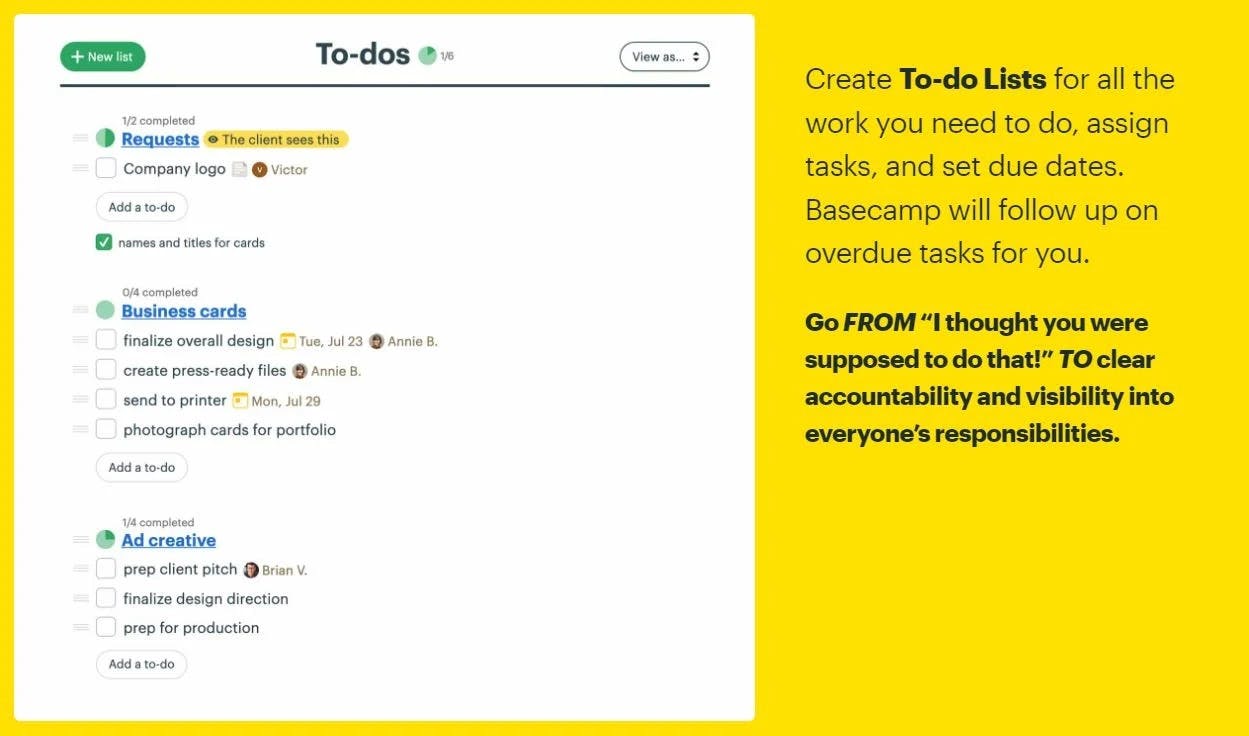
Basecamp is an all-in-one workspace for remote teams. It helps them to maintain the work-life balance by pausing notifications. With the activity view, you can see everything at one place. Get into a group chat and discuss important projects or reduce meetings with the help of automatic check-ins.
The USP of this app is its simplicity and ease of use. Managing team members and onboarding new members is really smooth.
Pros
- Dashboards, Automatic Check-Ins, and To-Do Lists
- Real-Time Chat, Message Board, and Overdue Tasks
Cons
- Basecamp isn’t that organized and fast as compared to Jira and SmartTask
- Limited Features compared to existing Project Management Apps
- Expensive. It charges for the features that SmartTask gives for free.
Pricing
Basecamp offers free pricing for limited features. It offers just a 30-day trial for the Business version. Basecamp Business is available at $99/month for the whole team.
3. Trello
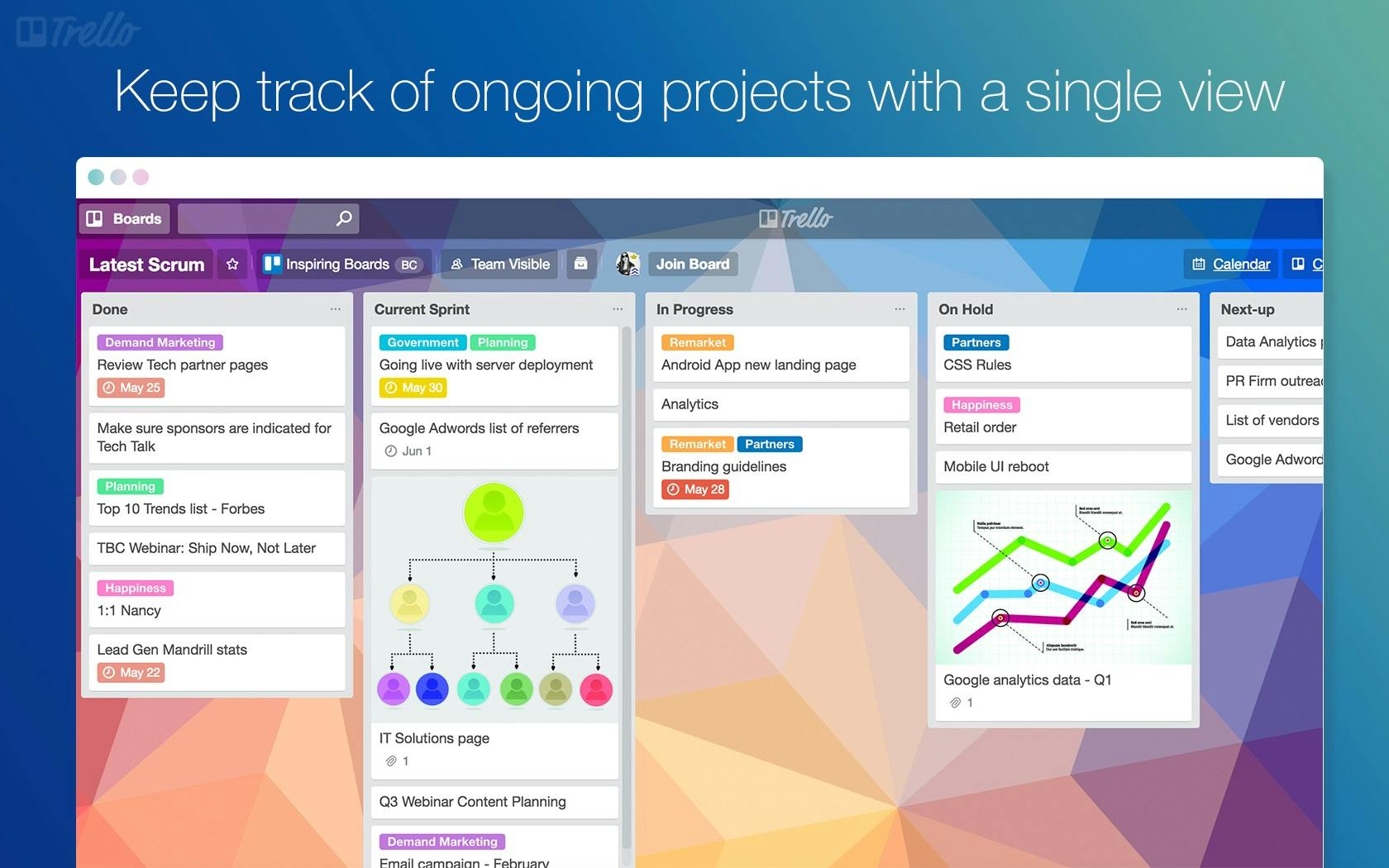
Trello by Atlassian was founded in 2014 and became an instant hit. It made project management cool then and is maintaining it now. Although simple, Trello didn’t go outdated after the arrival of new tools. It is still relevant with some great features like Timeline View, Dashboards, and Integrations.
Managing workflows along with intuitive UI makes Trello a go-to tool for collaboration and project management. The USP of Trello is its Kanban board that helps the user to deal with ease and perform tasks by performing a simple drag and drop.
Pros
- Table, Timeline, and Calendar View
- Boards, Lists, and Cards view
- Dashboards and pre-built templates
Cons
- Non-availability of time tracking feature as compared to the latest tools like SmartTask and Clickup.
Pricing
Trello offers free pricing with limited features and then charges $5 per user/month, $10 per user/month, and $17.50 per user/month if priced annually for Standard, Premium, and Enterprise plans.
4. Workzone
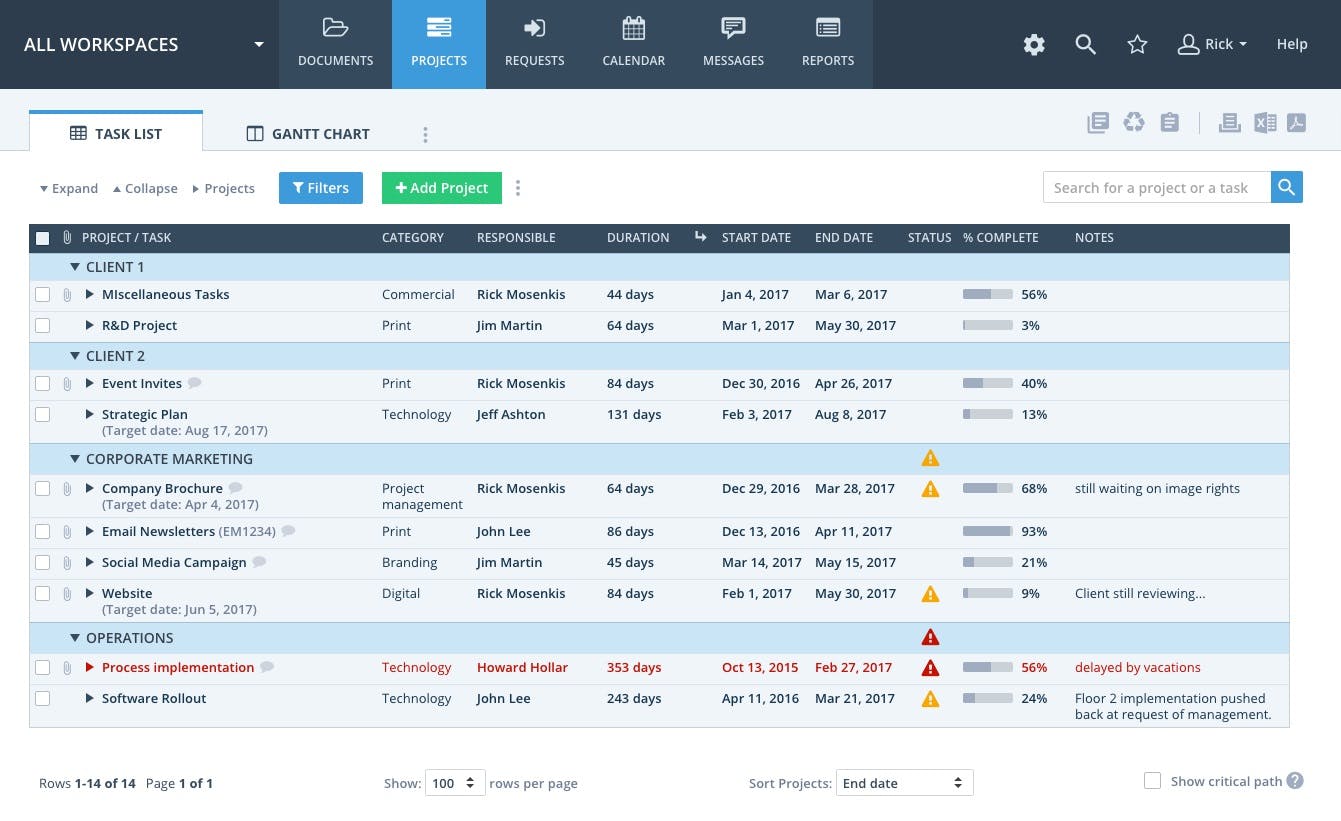
Workzone is a project management tool that helps you to keep your project on track. It has Project Dashboards, To-Do Lists, Gantt Chart, Task Dependencies, and Workload Reports to keep your project and tasks on track. You can create custom project request forms and automate the workflow with them.
The USP of this app is Status Alerts which identifies the tasks at risk and triggers automatic email alerts and colorful caution symbols. You can share files securely and track events with the Group calendar.
Pros
- Approvals Workflow, Email Alerts, and Project Boards
- Project Templates, Task Dependencies, Project Request Forms, and Status Alerts
- Project Dashboard, Time Tracking, and To-Do Lists
Cons
- Steep Learning Curve and Not User-Friendly
- A minimum 5 person subscription is required
- No Video Conferencing like SmartTask
Pricing
Workzone offers three types of subscription for minimum 5 persons as mentioned below:
Team Plan- $24 user/month
Professional Plan- $34 user/month
Enterprise Plan - $43 user/month
5. Notion
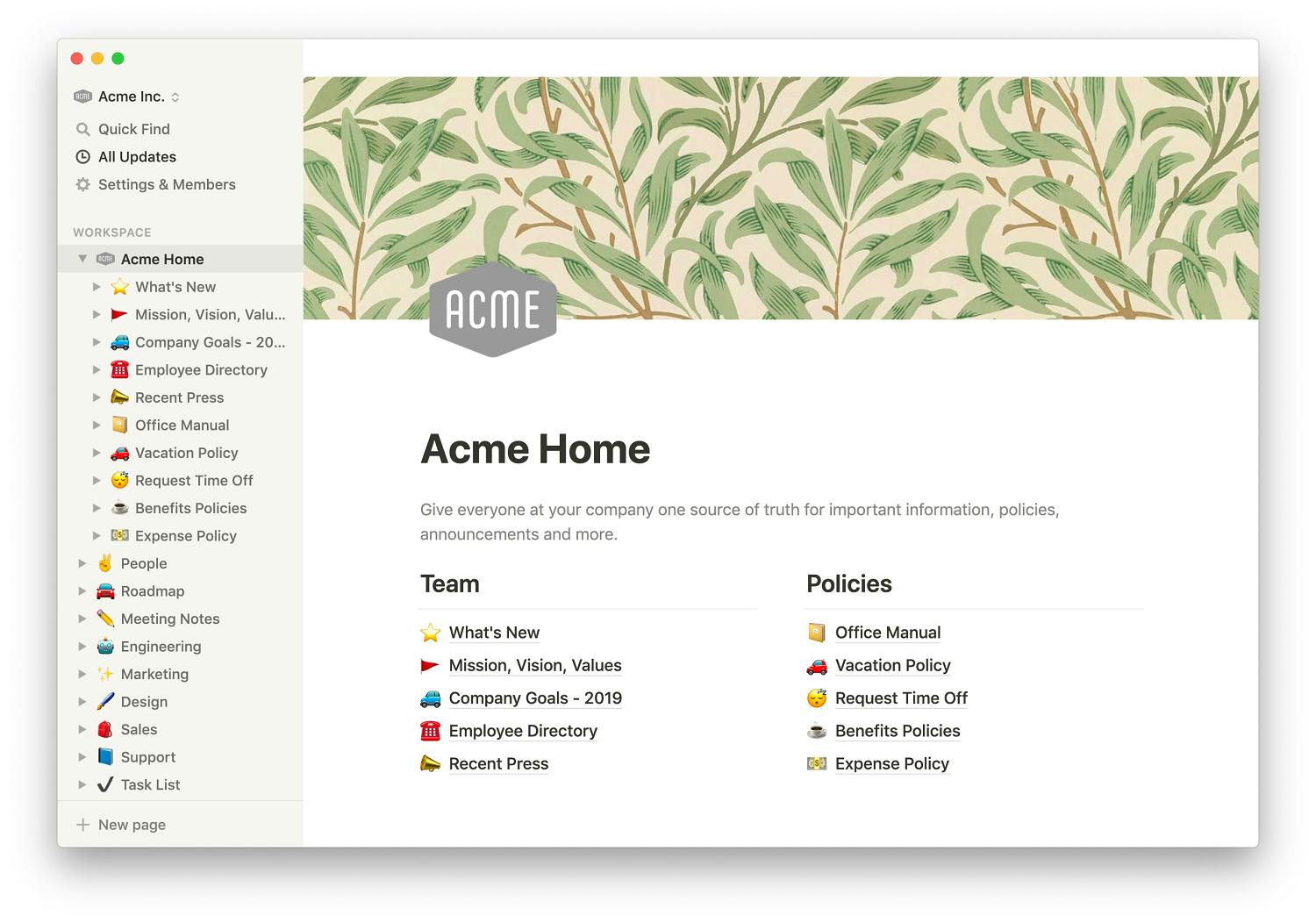
Notion, the blue-eyed boy of Freelancers, is a workspace that combines notes, wikis, project management, and docs in one place. It is far more than a note-taking app and a collaborative app. You can easily manage your teammates from Notion with the help of six views namely Table, Board, Timeline, List, Gallery, and Calendar view.
It is really flexible, but that thing is a curse for Notion. A lot of users get confused as there is the same information at multiple places. Also, the learning curve is really steep. You will lose a lot of time in deciding on a final structure as there are multiple ways in which you can achieve similar outcomes.
Notion is really intuitive and allows anything to embed with it. You can embed a tweet, link, blog, or another app like Slack, Typeform, Google Maps, and many more. The USP of this app is its community. The Notion community is really creative and it creates thousands of templates for various teams like Marketing, Engineering, Sales, etc.
Pros
- Six views- Table, List, Gallery, Calendar, Board, and Timeline
- Large Notion Community
- Template Gallery
- Web-Clipper
Cons
- Not having a call recording feature like SmartTask
- Not having charts for reporting
6. ClickUp
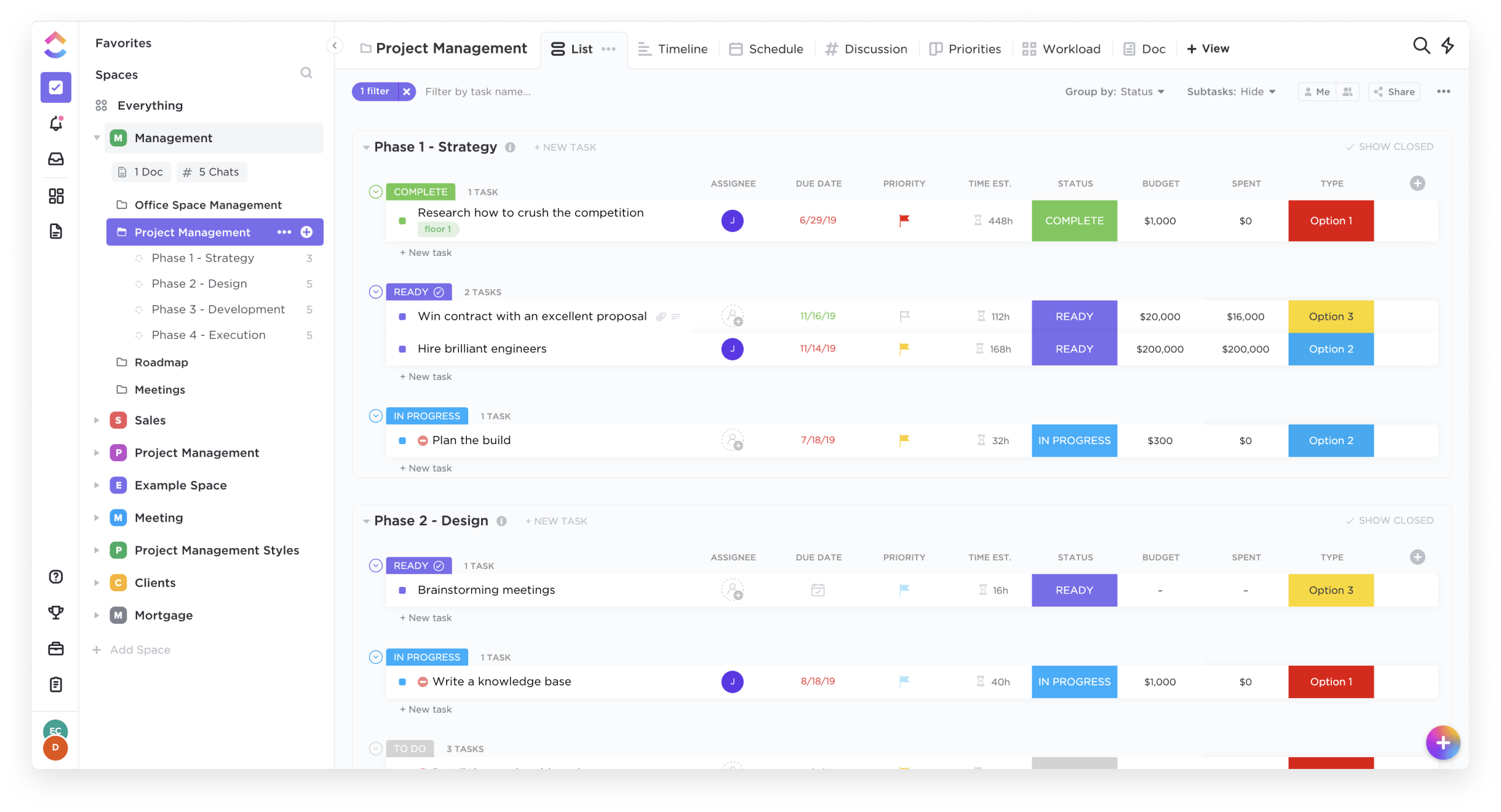
ClickUp is a project management tool that helps in managing projects, tasks, and teams. It has 15+ different views like List, Box, Board, Gantt, calendar, and much more which makes managing easier. You can send emails, create dashboards, add custom tags, and track time with the help of ClickApps.
ClickUp lets you collaborate with your team using Whiteboards, comments, and emails. You could also use 100+ pre-built templates for your team. It helps you with time tracking and reporting. You can create milestones, and goals, and check the workload of your team. The USP of this app is the frequent development of new features.
Pros
- Everything View, Nested Subtasks, and Custom Templates
- 15+ views like List, Timeline, Calendar, Gantt, Board, etc.
- Dashboards, Milestones, Goals, and Docs
Cons
- Too many features without optimization/Half Baked Features
- Buggy UI is not as smooth as SmartTask
7. Asana
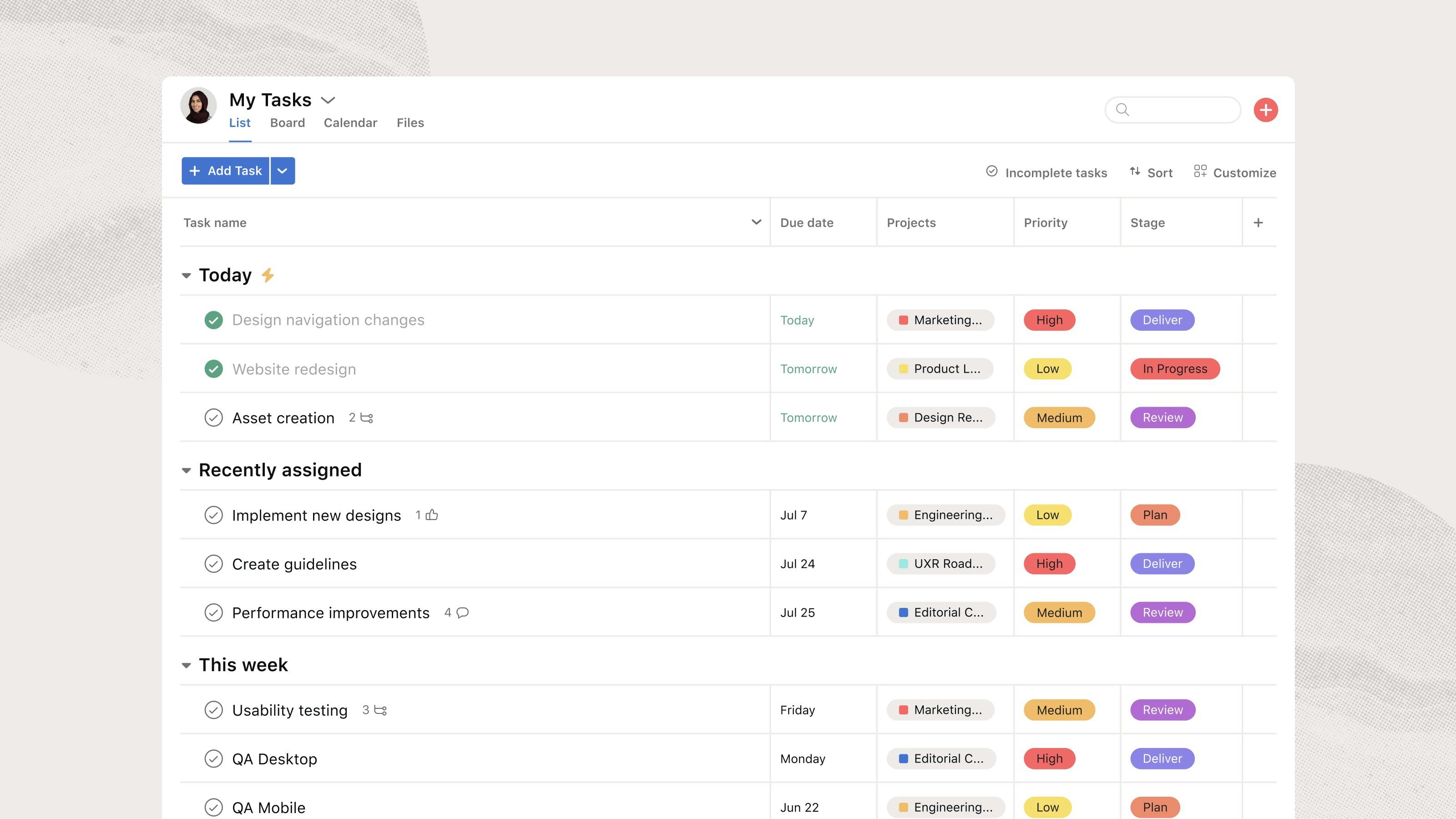
Founded in 2008, Asana is one of the best Work Management Tools. Every feature of Asana is very thoughtful and it has more than 100+ integrations that help in managing teams and their projects. You can get an overview of your team activities with the help of different views like Board, List, Calendar, Timeline, etc.
Asana can be used to set tasks, subtasks, dependencies, and due dates that help in task management. You could set goals and manage the workload of your team with the help of Workload View and Dashboard. The USP of this app is a well-thought user experience(UI) and its stability.
Pros
- Different Views like List, Calendar, Timeline, and Kanban view
- Milestones, Dependencies, Forms, and Workflow Builder
- Portfolio, Goals, Dashboards, Custom Templates, and Workload View
Cons
- Not having CRM as SmartTask
- Mediocre Customer Support and Expensive
8. Wrike
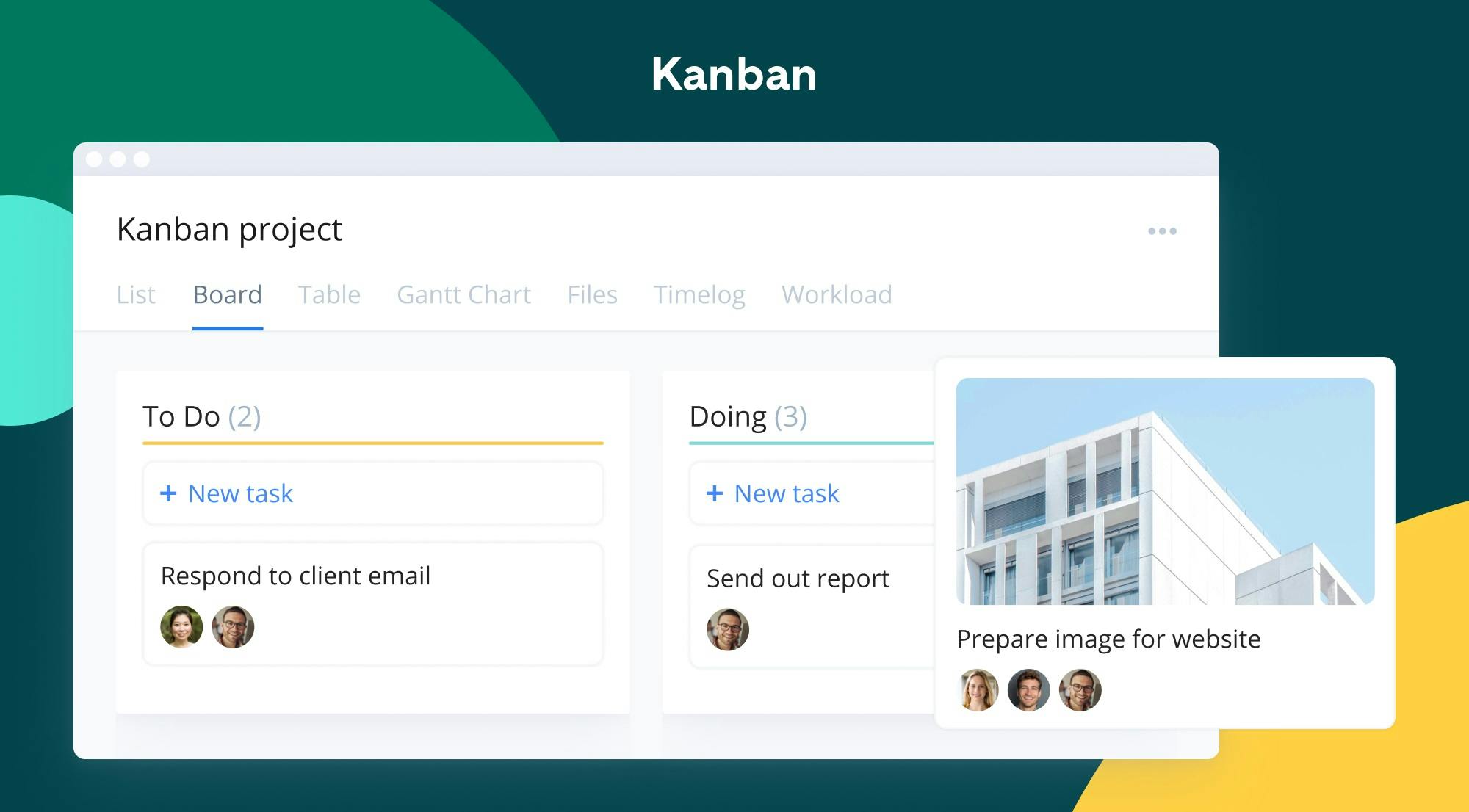
Wrike is an enterprise-level remote work management tool that helps you in managing multiple projects. You could operate your remote team with the help of custom-built request forms, real-time updates, time-tracking reports, Gantt charts, Kanban boards, and integrations with 400+ apps.
You can select from templates and create custom reports. Timelog allows you to track down your employees’ time. The USP of Wrike is Timeline View which is equipped with baseline, auto-scheduling, and much more features.
Pros
- Custom Dashboards, Workflows, and Request Forms
- Automated task prioritization and Virtual Assistant
- Security, Online Invoicing Feature, and To-Do Lists
Cons
- UX is not that impressive
- Advance Search is not good as it returns vague results
Pricing
Wrike is free for limited task management features. After that, it charges $9.80 per user/month and $24.80 per user/month for the Professional and Business plans. Needless to say, Wrike also offers Enterprise plans at custom rates.
9. nTask
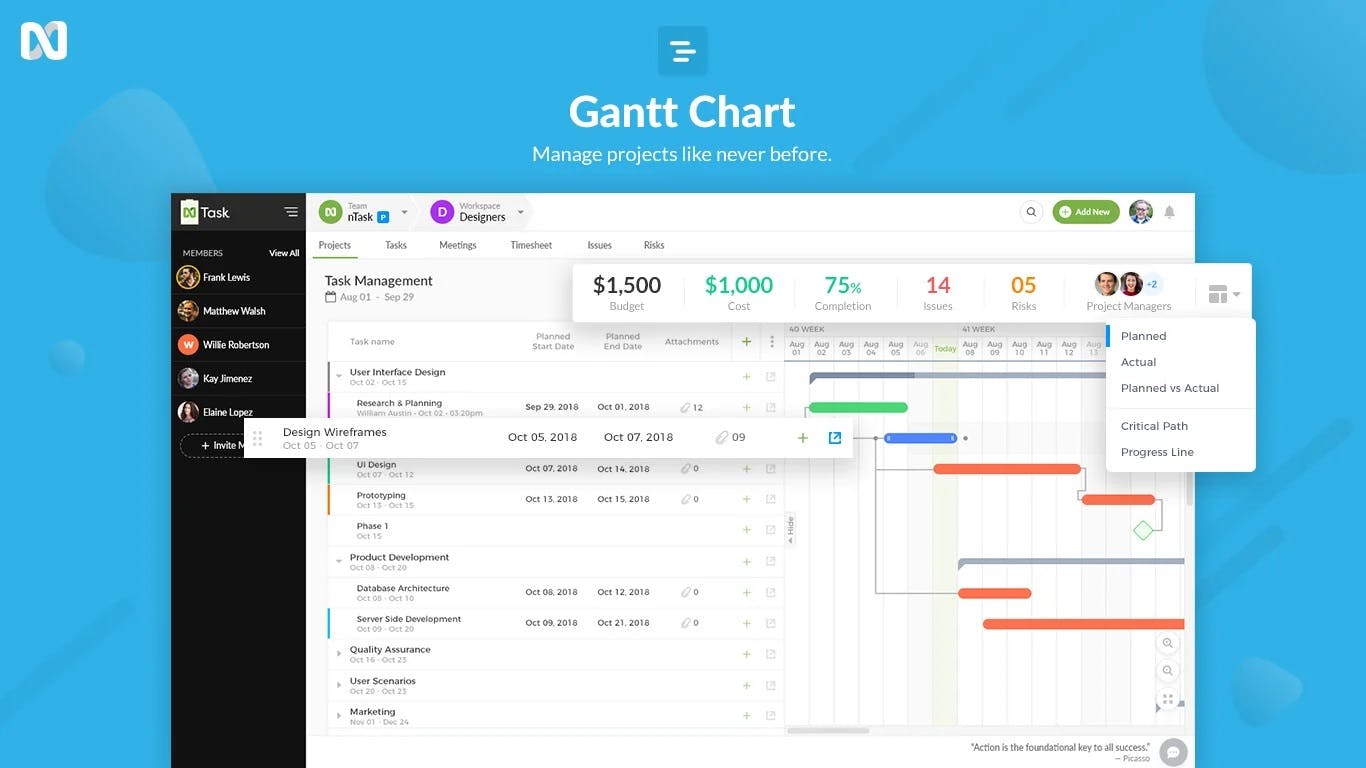
nTask is a Task and Project Management Software. It lives up to its name as it manages the “n” number of tasks. You can do issue tracking and report it with the help of dropdowns, checklists, and 1000+ app integrations. The USP of this app is multi-utilization.
nTask helps you in tracking time, fill timesheets, and managing billable time with the help of an inbuilt time tracker. Set tasks, repeated tasks, milestones, real-time updates, and budget tracking with nTask. You can utilize to-do lists, task comments, Gantt charts, and Kanban boards to manage your work.
Pros
- Time Tracker, Timesheets, and Issue Tracking
- List, Calendar, and Grid View
- To-do Lists, Workspaces, and Meeting Management
- Gantt chart and Kanban Board view
Cons
- nTask doesn’t have an inbuilt CRM like SmartTask
- Limited features in the free plan
Pricing
nTask offers a free trial for 14 days and then charges $3 user/month and $8 user/month for Premium and Business Plan if billed annually.
10. Teamwork
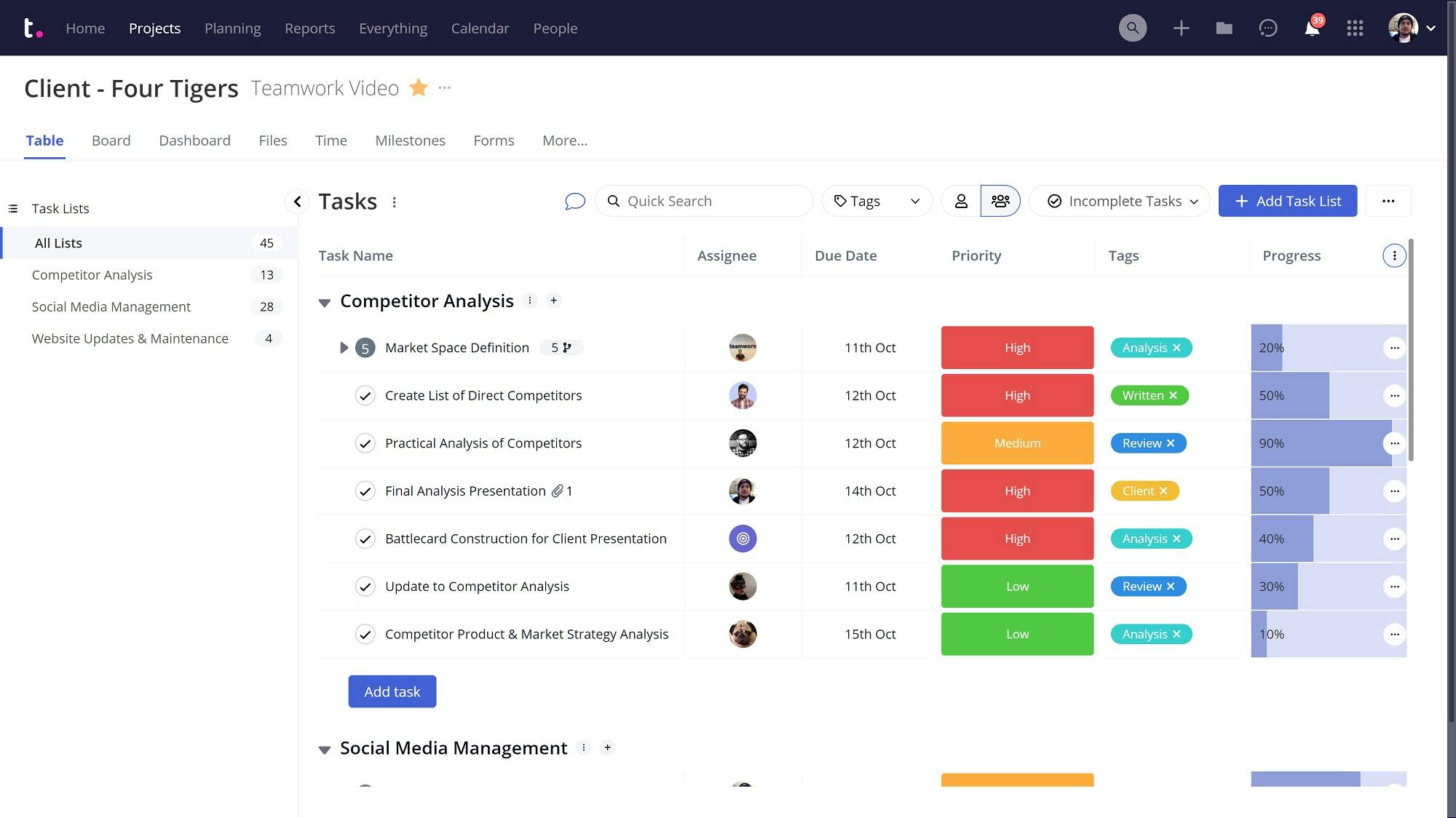
Teamwork, as its name suggests, is a Team and Project Management software. It is having one of the best UI/UX experiences. You can use Workload Planner and Resource Scheduler to manage your team’s performance. You could use automation to avoid boring tasks, just as repetitive tasks in SmartTask.
Teamwork lets you track time, make Gantt charts and Kanban boards, and get a portfolio view of all your projects. You can get quick updates with Calendars, Dashboards, Status Updates, and Milestones. Create invoices of billable time tracked by Time Tracker and Time Logger. The USP of this app is a Gmail add-on and Google chrome extension.
Pros
- Dashboard, Status Updates, and Gantt Charts
- Kanban Boards, Time Tracker, and Time Logger
- Workload Planner, Apps, and Portfolio View
Cons
- Too complex with lots of features
- Slow and a bit buggy
Pricing
Teamwork’s pricing is for a minimum of 3 team members for an annual subscription. It offers a Free plan, and charges $10 per user/month, and $18 per user/month for Deliver and Grow plan. You can also select Scale plan and get custom rates.
11. Hive
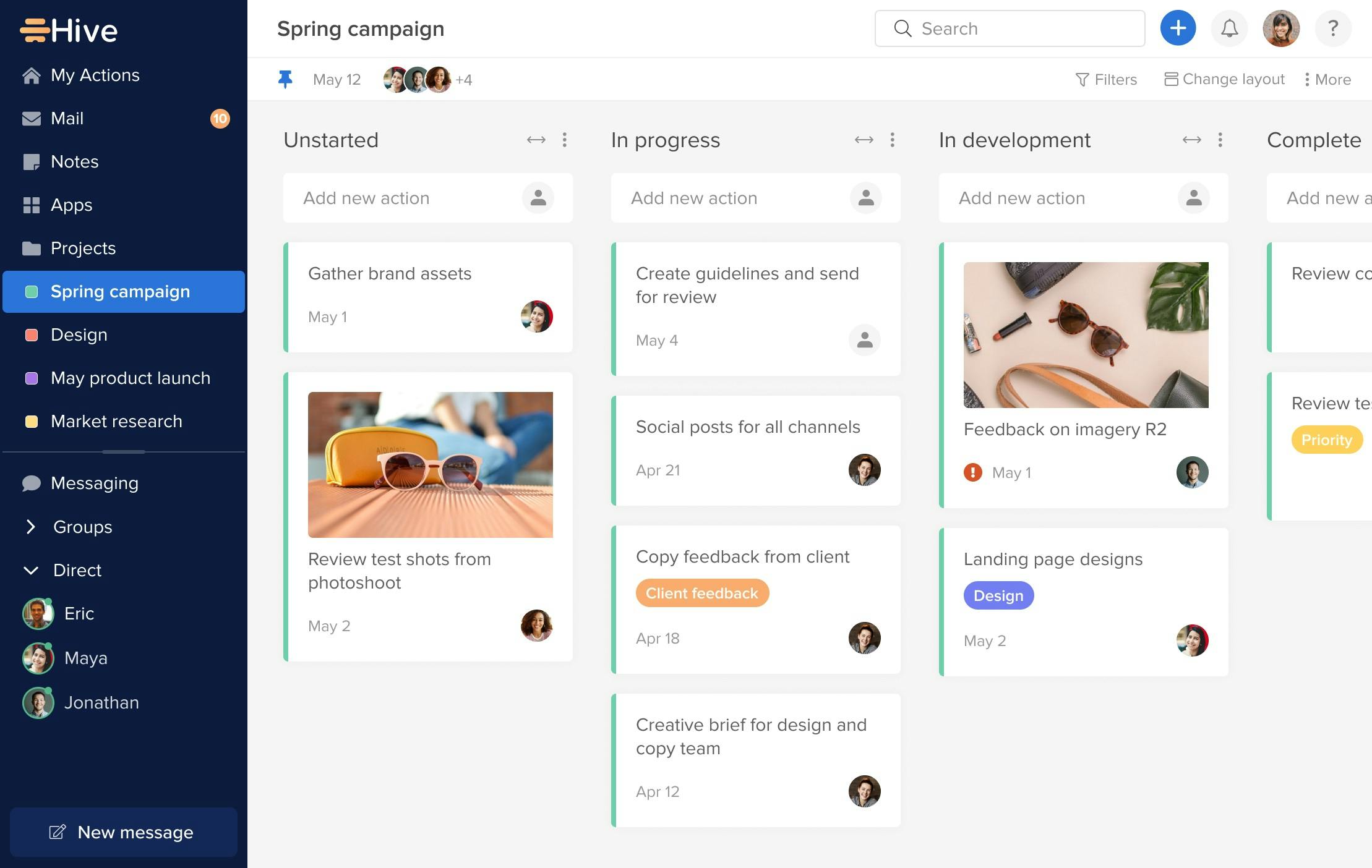
Hive is a project management tool that helps in managing projects, tasks, and subtasks with the help of 6 views - Table, Label, Gantt chart, Calendar, Team, and Status view. You can make To-Do Lists, do Agile Tracking, Track Time, and set Recurring Tasks. Set Task priorities, and send messages and emails with in-app chat and in-app email.
Hive lets you group tasks together and label them. You can access individual and global analytics. The USP of this app is Real-Time Collaboration using which the whole team can collaborate on the same idea.
Pros
- To-Do Lists, Gantt, Status view, and Table View
- Recurring Tasks, Agile Tracking, and Task Priorities
- Dashboards, Integrations, and Real-time collaboration
Cons
- No CRM like SmartTask
- Poor Analytics Feature
Pricing
Hive provides a Free plan and charges $12 per user/month if paid annually. It also offers enterprise plans at custom rates.
Conclusion: The Best Jira Alternative - SmartTask
We looked at 11 different Project Management Software and concluded that SmartTask is the best alternative to Jira.
Why so?
Because it nests robust features of project management with a special focus on team collaboration and client management. Our long list of features includes, but is not limited to, Video Conferencing, Chat, Automatic Check-Ins, CRM, Advanced Search, and Call Recording. Smooth integration with 1000+ work tools makes us truly stand out amongst the rest.

Try SmartTask Today - The Best Ever Alternative to Jira!
Plan your resources smarter with one scalable client delivery management system.
Try it Live - It's FREE


