
A Complete Guide to Scrum Project Management
Ready to adopt Scrum Methodology? Here’s a practical guide that will help you learn the basics of Scrum project management and how to implement it.
First, let us understand- “what scrum stands for?”
The word ‘Scrum’ might come off as a little complex, but trust me, it's easier than it sounds. It is a methodology that helps teams work together. Apparently, the word 'Scrum' has its roots in rugby sport, where the players form a tight-knit configuration known as a scrum.
Scrum encourages teams to learn from experience, self-organize while solving problems, and reflect on their victories and failures in order to continuously improve. In fact, it is one of the most efficient and streamlined project management methods out there.
Now that we know what scrum stands for…let’s quickly move on to understand how it is used for project management.
What is Scrum in Project Management?
Scrum is an agile methodology where you follow an incremental and iterative process to project or product management.
Scrum project management involves a small team led by a scrum master instead of a project manager (we will learn more about scrum master later). The team works in short cycles called sprints. Daily meetings are held to discuss upcoming tasks and potential roadblocks. At the end of each sprint, client/customer feedback is taken and incorporated before moving ahead with the development process.
Despite being most commonly used by software development teams, scrum's principles and lessons can be leveraged by any type of teamwork and project: sales, marketing, product launch, etc. This is one of the reasons scrum has become so popular.
What is the difference between scrum and agile?
While people often confuse scrum with agile due to their identical principles and approaches, let us say this once and for all - they are not the same. Scrum is just one of the many agile methodologies. Let’s have a quick look at the key differences between the two:
- Scrum is broken down into shorter sprints and smaller deliverables, while in Agile there is continuous delivery and no concept of smaller deliverables.
- Scrum teams are generally smaller and more experienced than Agile teams.
- Agile involves members from various cross-functional teams, while a Scrum project team includes specific roles.
- Scrum teams tend to be more self-sufficient, with the Scrum Master taking on a coaching role instead of an authoritative project manager role.
While agile offers flexibility, scrum is more suited for highly complex projects that might require multiple rounds of feedback and changes.
How to implement Scrum in your projects?
The Scrum model places a great deal of focus on interaction, making communication a significant aspect of every scrum phase and process. Keeping this in primary, let's move on to the 6 steps that will help you successfully implement scrum in projects.
1. Define the scrum elements
How well you will be able to implement Scrum in your project largely depends on the 4 key scrum elements? Thus the first thing to start with is to define these scrum elements properly:
- Scrum Team: The team contains 4-9 members that work closely together. All team members have expertise in different fields encompassing development, testing, customer support, design, business analysis, etc.
- Product Owner: The product owner takes charge of the product and ensures the client’s requirements (end value) are met. Typically, the product owner creates client-centric needs in the form of stories, prioritizes them, and adds them to the backlog. They also provide a clear vision of the requirements, risks, goals, and the work that has to be done.
- Scrum Master: Next, you need to appoint a scrum master to guide the team through the scrum work system. They make certain that the scrum group is efficient and progressive. In the event of a stumbling block, the scrum master follows up and fixes the problem for the group.
- Sprint Length: A sprint is a time-box that is normally between 1 and 4 weeks long and remains consistent throughout the project. If you're not sure how much time is optimal, it's preferable to start with 2 weeks and then figure out what works for your project and team.
2. Prioritize the list of work or ‘Backlog’
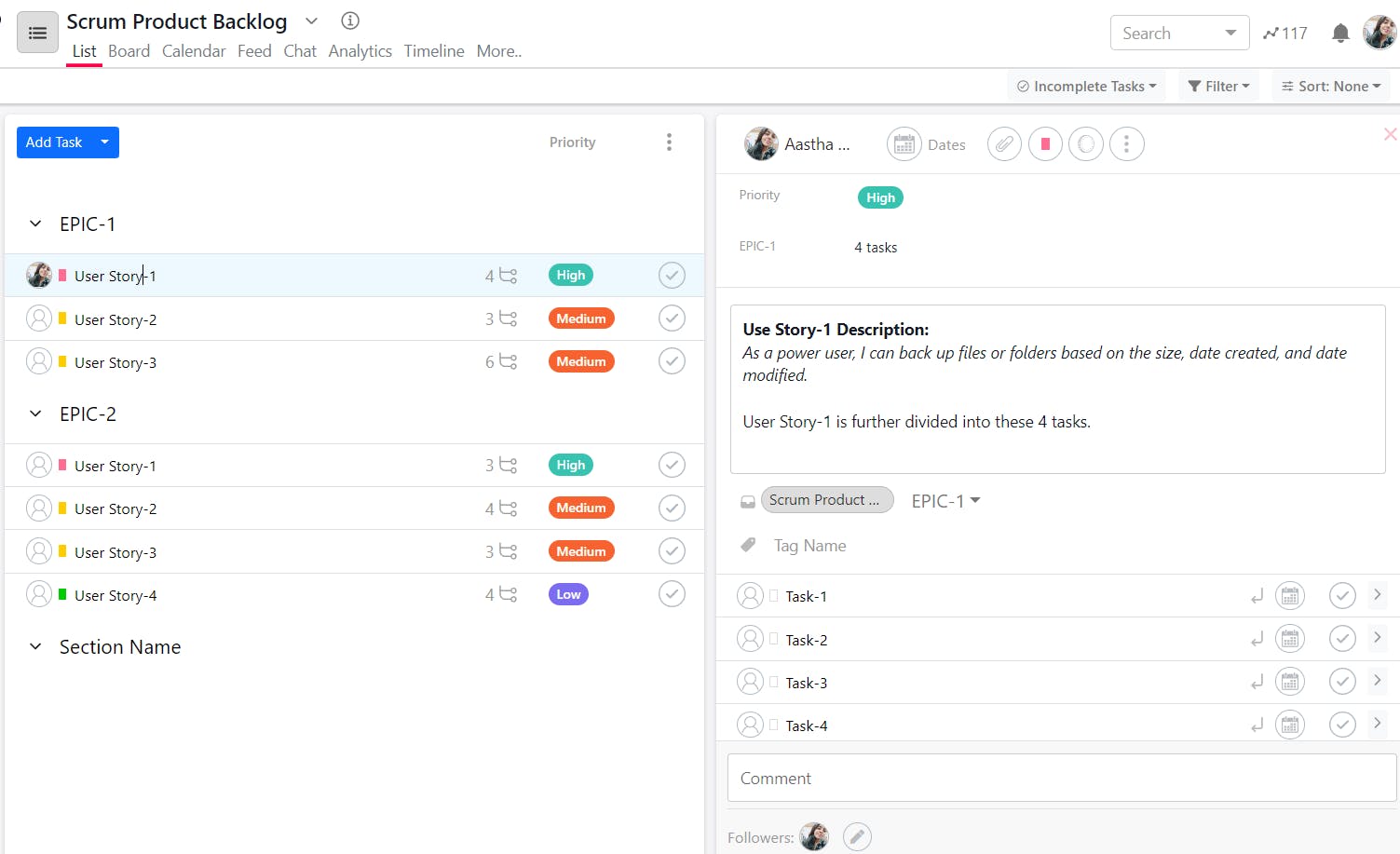
Now, coming to the work part! Product backlogs are collections of user stories (requirements) that are expected to be completed during the project lifecycle. It is often referred to as the roadmap of the project/product: a list of all the functionalities, pending activities, and the priority assigned to each one.
The most important stories are always at the top of the list, so the entire backlog is continuously ranked based on the story's importance.
Here are the 3 things that a backlog list contains:
- Epic: High-level requirements that give a rough idea of the work. They are then possibly split into different User Stories.
- User Stories: Refined and more detailed requirements on what needs to be done. For example, as a power user, I can back up files or folders based on the size, date created, and date modified.
- Tasks: A story is typically again broken down into discrete tasks that the teams would work on in the project sprints.
As you move down the backlog, the entries will often be rougher and have fewer details. Epic/story holds high priority, so add in more details that would help your team understand the requirements better.
The Product Owner is free to re-prioritize the backlog as they see fit, at any point in time.
Use SmartTask to create and prioritize the product backlog list in a few simple steps:
- Create Epics as Sections
- Add User Stories as Tasks
- Divide stories further (Tasks) as Subtasks
- Add details, due dates, and priorities accordingly
3. Plan the scrum sprints
Hold a Scrum Planning Meeting where the team picks items from the backlog list and brainstorms to decide on what and how much they would complete in this sprint.
During this stage of the process, estimations and commitments are made for a certain number of tasks and stories according to the time frame defined.
Once everyone is on the same page, the first sprint is started.
4. Establish transparency and conduct daily meetings
It is necessary to make the progress of the team visible throughout the project cycle. Doing so will allow you to identify and deal with any challenges and possible delays.
For this, you can use tools like SmartTask that help you track tasks and projects in real-time and update teams on the changes, and priorities.
As already stated, communication is a key factor in the scrum. It is important to connect with your team to discuss the achievements and challenges. The scrum meetings should be held at the same time every day and for a maximum of 15 minutes.
The meeting should cover:
- What work was done yesterday to help the team finish the sprint?
- What work has to be done tomorrow to help the team finish the sprint?
- What obstacles are there in an individual’s or the team’s path?
The Scrum Master is responsible for removing obstacles and for ensuring that the Sprint's objectives are met.
5. Review and retrospective of the sprint
When the end of the sprint time-box is reached, all planned work should hopefully be done. If this is not the case, it is up to the team to decide whether the remaining work should be transferred to the next sprint or placed back into the backlog.
The team now does a retrospective to analyze what went well and what can be improved for the upcoming sprint. Allow everyone to be a part of this discussion and suggest improvements. In this way, the team takes responsibility for its process and outcome, analyzing possible improvements constructively.
Also, make sure all this is documented and easily accessible to all team members at all times.
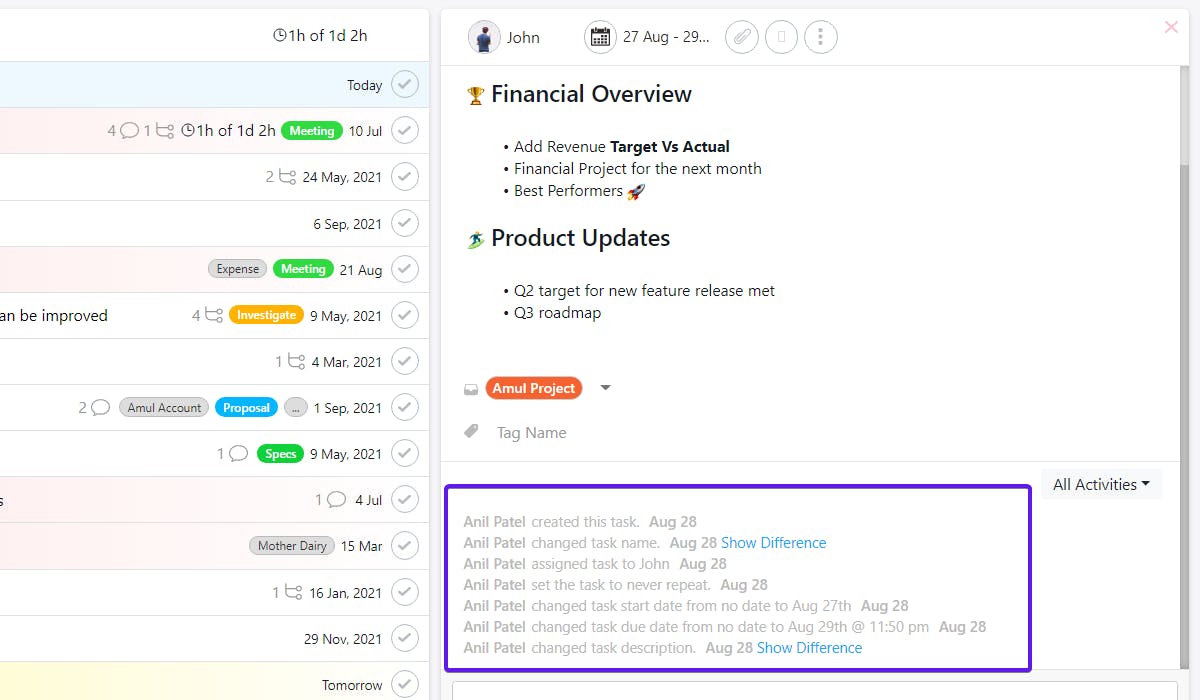
On SmartTask, you can create a task as a retrospective meeting and hold the video meeting there itself.
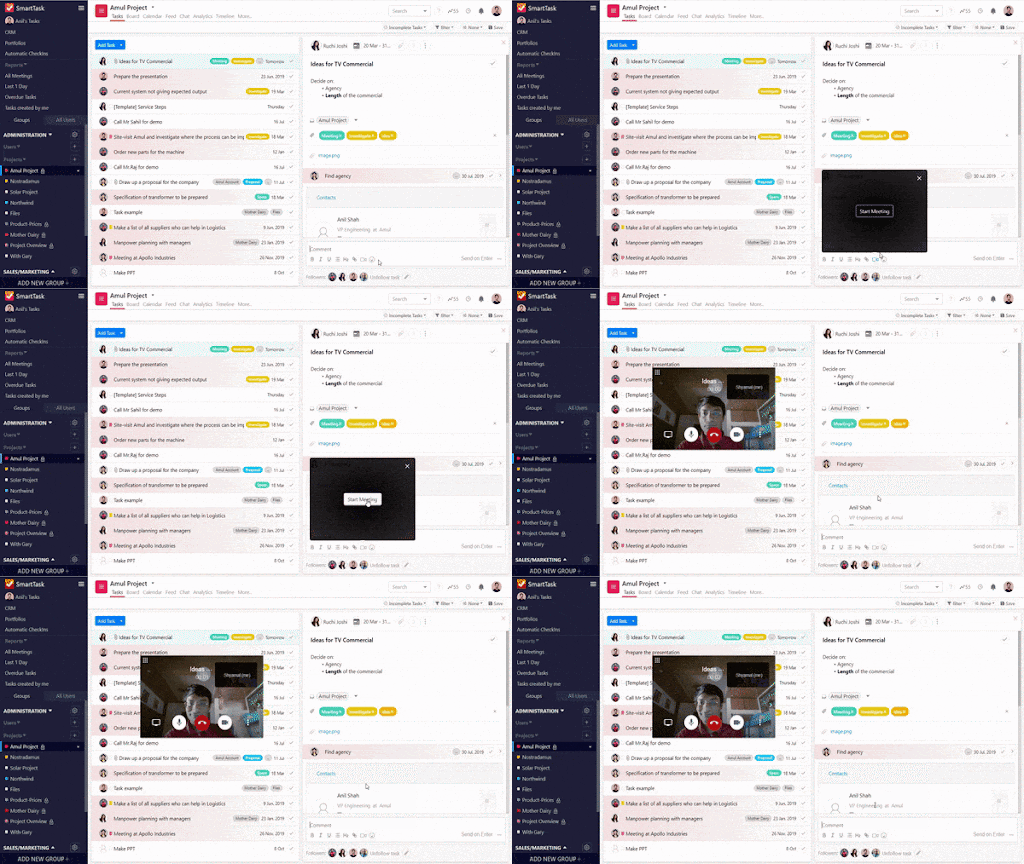
You can also attach important documents, add details, and notes, and also comment on important points on the task itself. The task history and documents will be easily accessible to all at any time.
6. Immediately start with the next sprint
Taking the previous experience in mind, it's time to move forward with the next sprint cycle. Now, the sprint planning meeting for the next sprint starts, and the process is repeated.
There's no limit for the number of sprints, except if they are set by a deadline (based on budget or time), or the entire backlog is completed. If none of these criteria are met, the sprints just keep going indefinitely.
The improvement of the team will only be achieved with practice. While it may take some time to understand Scrum, once you commit to it, it will drastically change how your team works and interacts.
Best Tool for Scrum Project Management - SmartTask
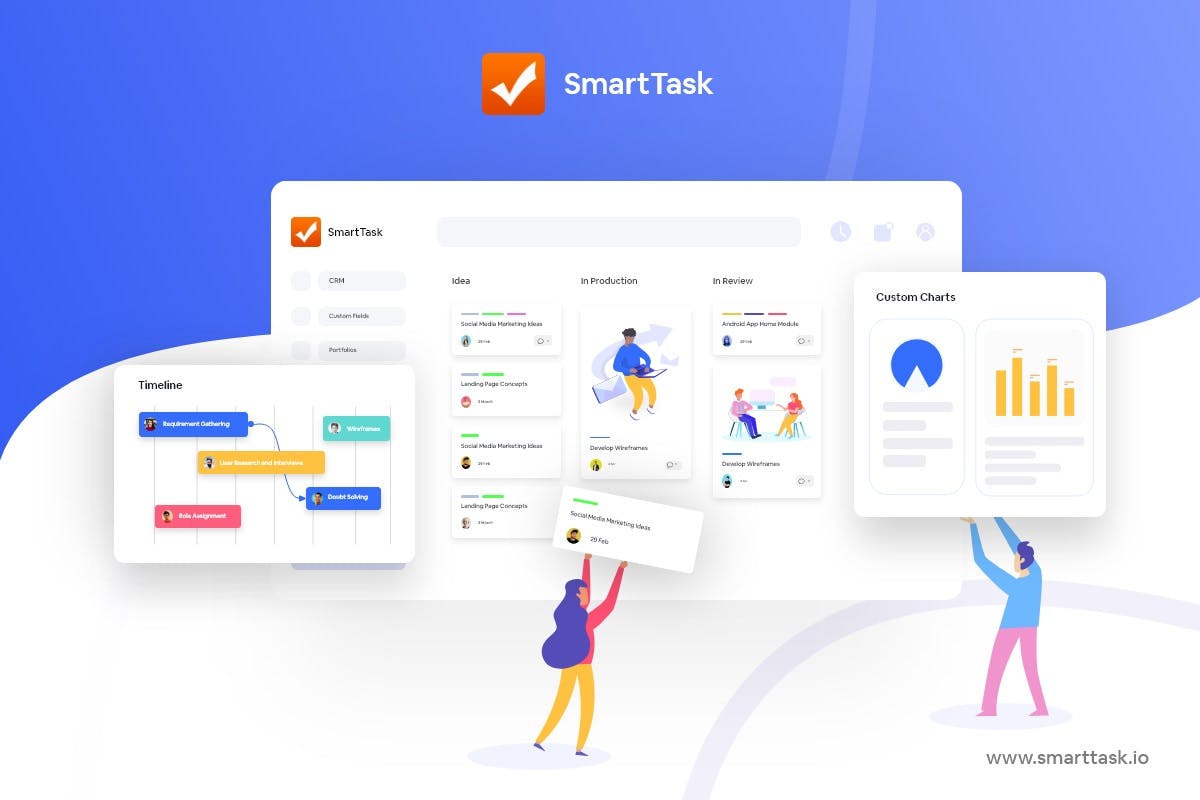
SmartTask is a project management software that is built to support Agile and Scrum methodologies. Here are some of the ways SmartTask can help you plan and achieve your project goals better:
1. Multiple views for transparency
Since scrum is all about continuous improvement and adapting to project changes, your tool should be able to adapt to these changes and requirements too.
Luckily, SmartTask offers you multiple views that can be adapted as per your team’s Scrum workflow.
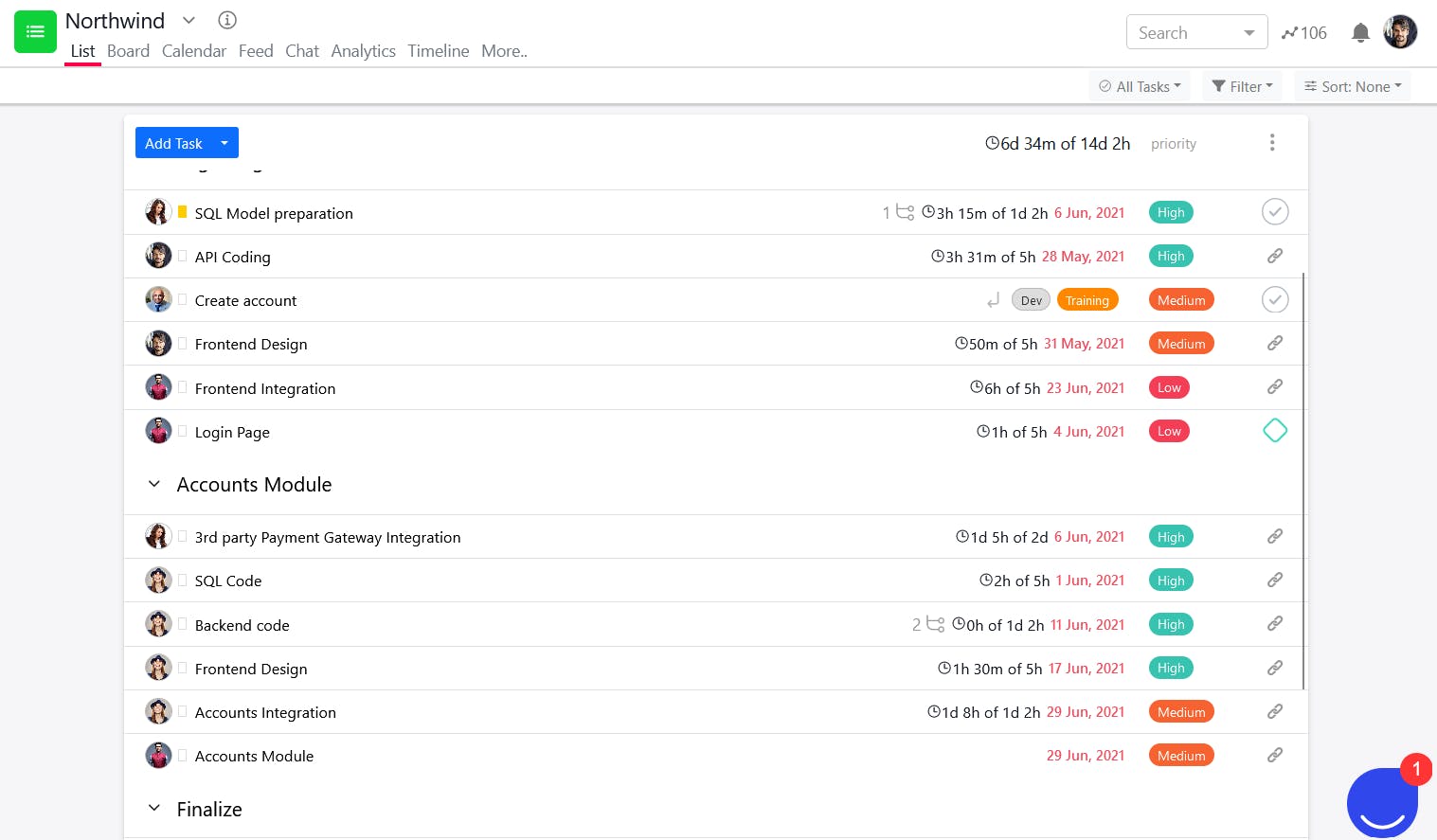
- List View: It’s the perfect view to keep track of sprint task lists during sprint planning. As every task is listed one after the other, you can quickly tackle each one sequentially. You can also set the priority level for each of the tasks to align all team members on what's important.
- Board View: It is great for combining the scrum and Kanban methods, or if you just want some Kanban functionality in your scrum board. You can easily drag and drop your tasks to make quick adjustments.
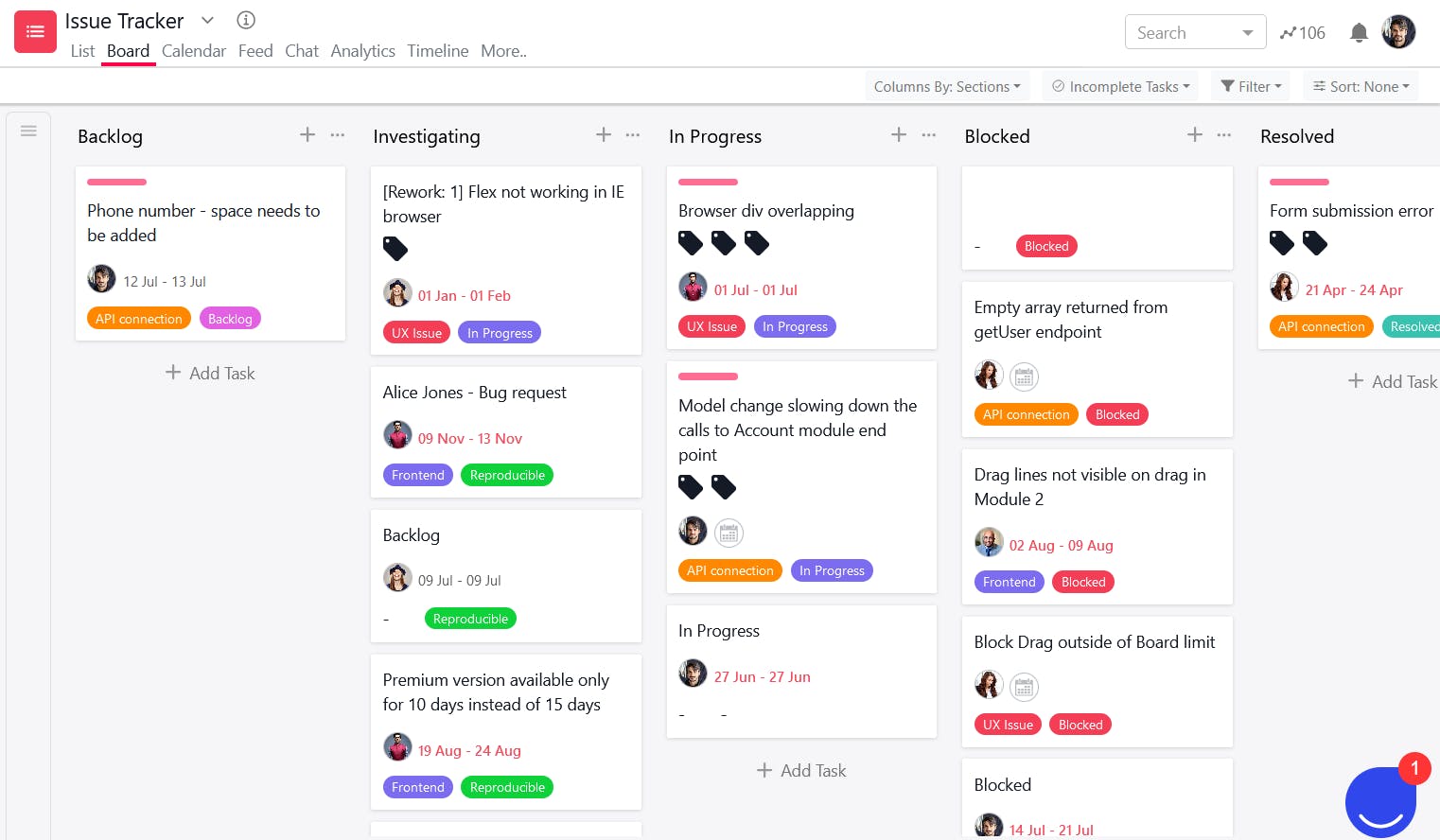
The board view helps you improve project visibility, as your team members can see who’s responsible for specific tasks, at all times.
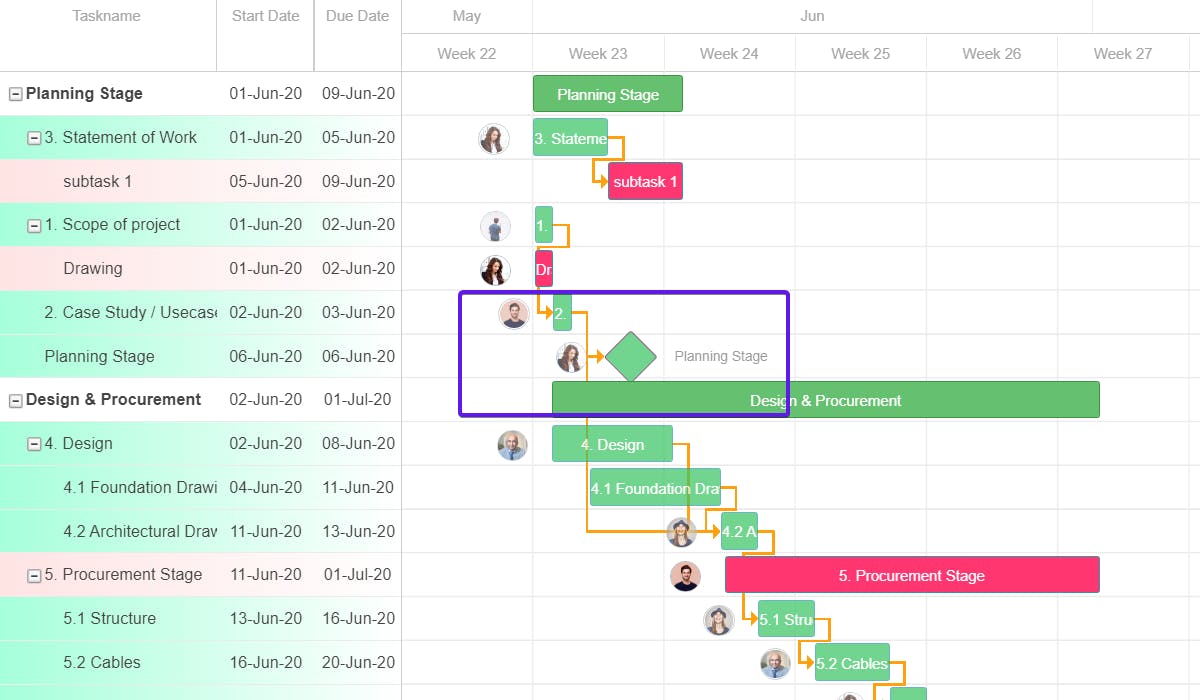
- Timeline View: It is a critical view for all types of projects, as it shows you how knee-deep you are in your project. It will keep you and your team updated on work progress in real-time.
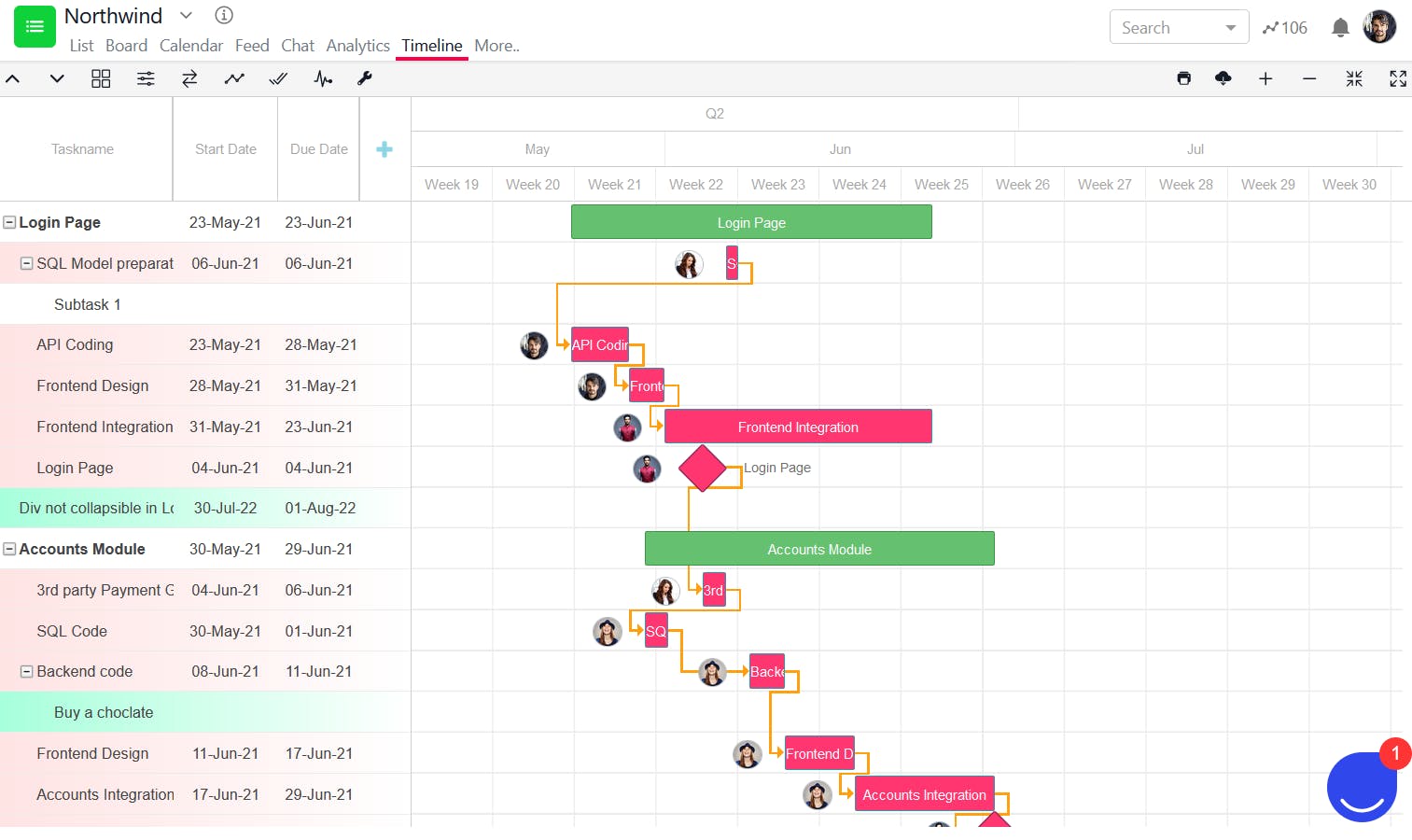
You can even set a baseline to see if the project is moving as expected or lagging. This will help you take care of problems and delays just on time.
2. Quick communication and meetings directly on a task
SmartTask facilitates quick communication with task comments and mentions. It has two benefits:
First, all the communication will be right where the work is happening. Whether it is the exchange of information, feedback, or new ideas, it will be easier for the team to stay on the same page. This helps in establishing transparency and increasing team productivity.
Second, when you mention someone on the task, they receive a notification regarding it, which means no more missed out messages and updates.
SmartTask also allows you to hold video meetings on task and project levels. This means you can have your daily scrum meetings and sprint planning meetings without relying on a different tool.

You can even set a recurring task for daily meetings so that you don’t have to send invites daily or remind people individually.
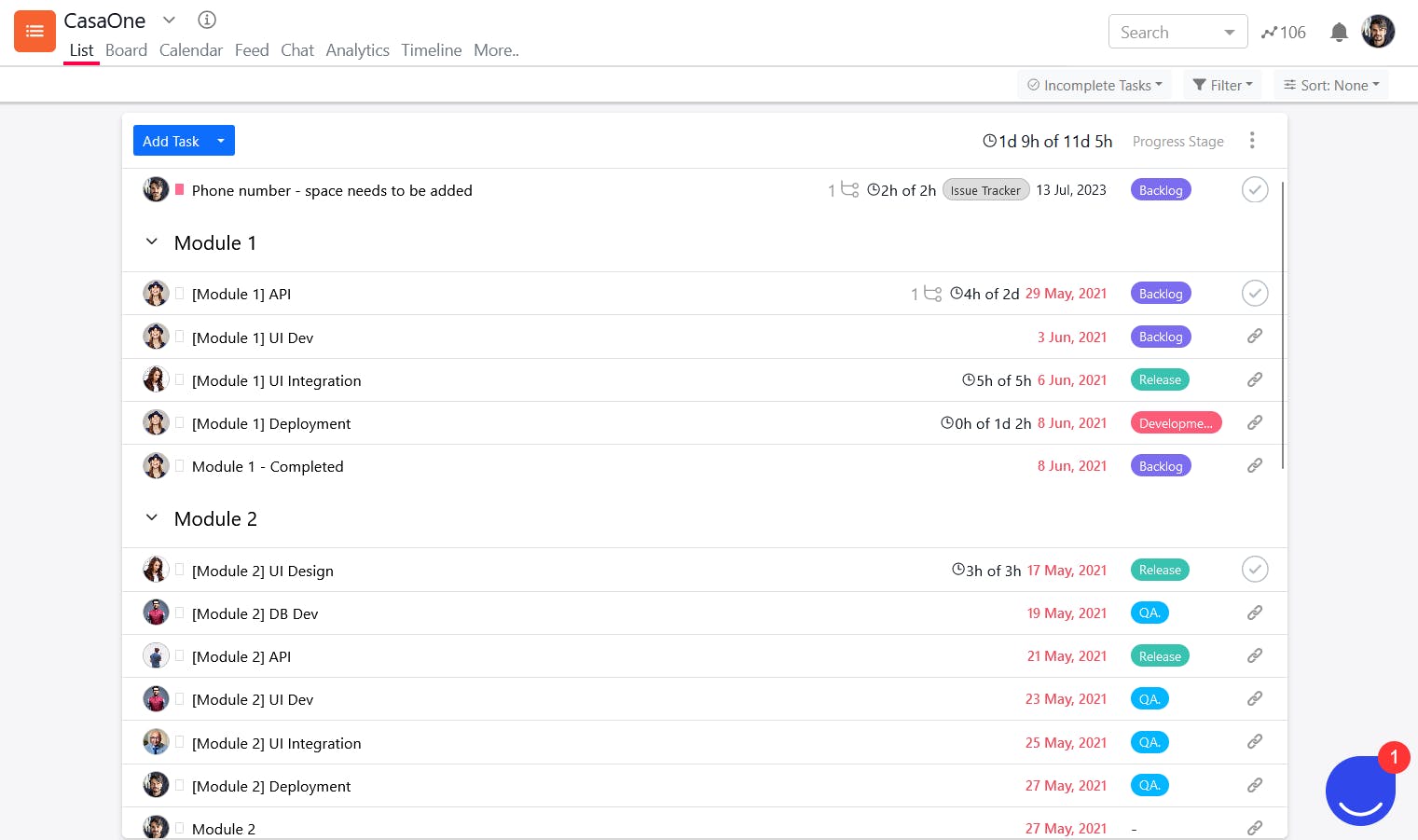
3. Custom fields for managing different task stages
Each project has its specific needs and stages, and custom fields make it easy to determine which stage the task is at. Whether it's in backlog, development, designing, approval, etc. This will save you from extra messages to post to everybody, including stakeholders, on what’s happening.
4. Overview of your project with dashboards
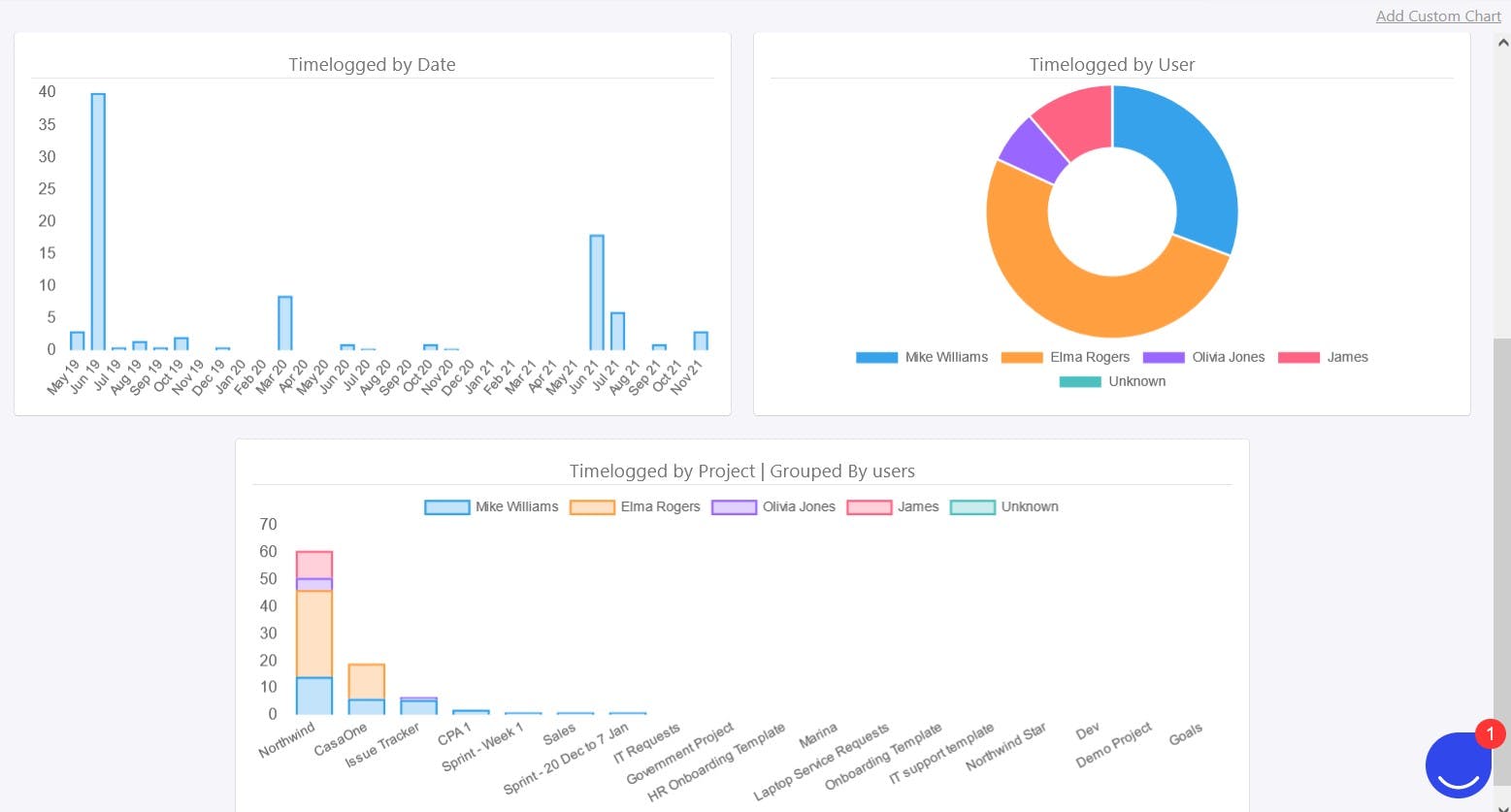
It is important to visualize your project progress over time, but doing so can get difficult using spreadsheets and rigid charts.
This is why SmartTask provides custom project dashboards that allow you to have an overview of project progress in real-time. You can even add various custom charts to your dashboard, and get the insights that matter to you.
5. Reporting for documenting and evaluation of projects after each sprint
You can generate and download custom charts, project progress reports, team performance reports, resource utilization reports, and more.
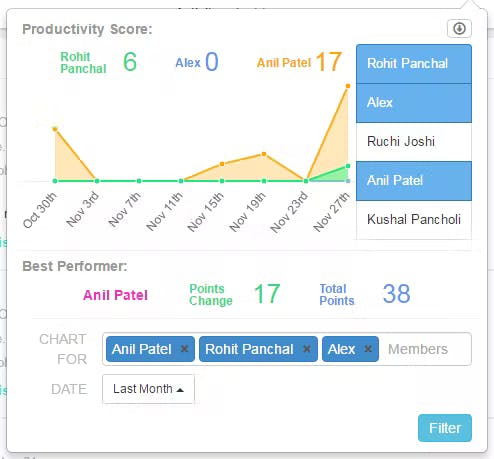
This will help you while evaluating your project sprints, and will also be a valuable resource while planning your future projects.
However, those aren’t all of SmartTask’s features.
You get loads of additional features for successful project management:
- Milestones: Mark important tasks as milestones and track them.
- Task Dependencies: Define when tasks are dependent on other tasks. Get notified when the blocking task is completed.
- Calendar view: Schedule your projects using this view and share it with your team.
- Portfolio view: Allows you to manage multiple projects at the same time.
- Workload view: Keep a tab on who is working on what and ensure no one is overstressed.
- Time tracking: Track how much time is being spent on a specific task.
- Estimation and Budgeting: Set per hour cost estimates for each task and keep an eye on the cost to ensure the budget is not surpassed.
- Newsfeed: To update your entire team or selected people about the project.
- GuestUsers: Involve your clients as guest users with limited rights to keep them in the loop, and take their approval/feedback after each sprint, task, or milestone, whatever suits your project.
- Project Templates: Instead of starting from scratch, just build upon existing templates and create your own for the future.
Implementing scrum can seem a little daunting at first, but with the right tool, it won’t be too hard to work with.
SmartTask makes your teams productive and managing complex projects easier. It has everything you need to manage your Agile team goals, scrum teams, values, artifacts, and methods!
Get started with SmartTask. Signup today for free!
FAQs:
1. What kind of projects can be run through Scrum project management?
Although Scrum was intended for the management of software development projects, it can be used to run software maintenance teams, or as a general project/program management approach. Its principles can be applied across various sectors including sales, marketing, service, etc.
2. How is scrum different from traditional project management?
Traditional project management focuses on extensive advance planning for the project, with stronger attention to determining and monitoring the project scope, cost, and time.
Scrum, on the other hand, promotes data-driven, iterative decision-making with the primary goal of producing products that meet the needs of customers.
3. What are the key values/pillars of scrum?
The 5 key scrum values are:
- Courage: Scrum teams must be courageous in order to experiment and do the correct thing.
- Focus: Teams must concentrate on the sprint and the goals at hand.
- Commitment: Teams must set realistic goals with a clear purpose and commit to meeting them.
- Openness: Everyone working on the Scrum project must be transparent about the issues they face and the work they do on the project.
- Respect: In order for a team to work effectively, members must respect one another regardless of their technical abilities or backgrounds.
4. What are the benefits of using scrum project management?
Using the scrum technique has two primary advantages:
- Since you aren't tackling the entire project at once, it is easier to spot errors and make changes if something goes wrong. Let's say if a technical fault occurs, you can easily retake one sprint cycle rather than the entire project.
- Sprint-based iterative development allows you to receive input from stakeholders at the end of each sprint cycle and incorporate it into your development right before the next sprint. With this continual process activated, you can actively include customers and develop a final product that they adore!
The Scrum approach ensures you deliver quality products rather than just marketing nonsense.
Plan your resources smarter with one scalable client delivery management system.
Try it Live - It's FREE


