
Templates
Employee Onboarding
The Employee Onboarding Template streamlines the onboarding process by tracking tasks, assigning responsibilities, and monitoring progress to ensure a smooth transition for new hires.
Use TemplateCategories
Slide 1 of 1 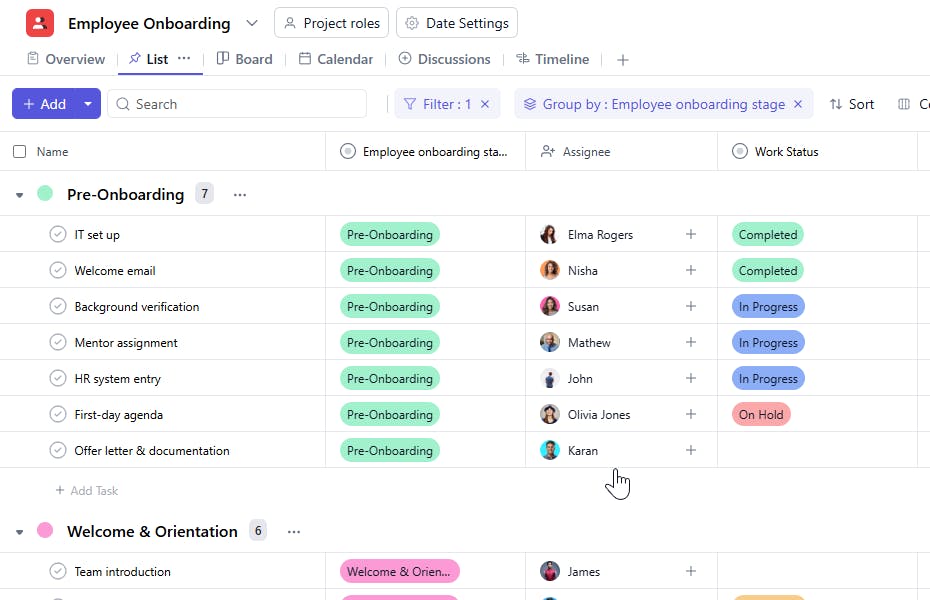
What is an Employee Onboarding Template?
An Employee Onboarding Template serves as a structured framework for managing and tracking tasks involved in the onboarding process. It provides HR teams and managers with a detailed checklist to ensure every aspect of onboarding is handled effectively.
Here’s a closer look at its key features:
Employee Onboarding Template: Key Features
- Organized Task Tracking: The template helps organize and prioritize onboarding tasks.
- Role-Specific Assignments: Assign responsibilities to HR personnel or team leads for each onboarding activity.
- Timeline Management: Ensure timely completion of onboarding milestones with start and end dates.
- Customizable Fields: Tailor the template to include fields like training schedules, role-specific checklists, or company policies.
- Progress Monitoring: Track the onboarding status of each employee to ensure no task is overlooked.
- Centralized Documentation: Store descriptions, guidelines, and related documents for quick reference.
How to Use the Employee Onboarding Template?
Here’s a step-by-step guide to using the Employee Onboarding Template:
- Create a New Project: Log into SmartTask, click "New Project," and select the Employee Onboarding Template.
- Customize Fields: Add fields relevant to your organization's onboarding process, such as training modules or compliance tasks.
- Assign Tasks: Allocate onboarding tasks to HR staff or department managers.
- Set Timelines: Define start and end dates for onboarding activities to ensure timely execution.
- Track Progress: Monitor onboarding status for each employee to identify pending tasks.
- Collaborate with Teams: Share updates, documents, and feedback related to onboarding with the relevant stakeholders.
Custom Fields for Enhanced Organization
This Employee Onboarding Template includes the following fields for better tracking and management:
- Employee Onboarding Stage: Welcome & Orientation, Employee Onboarding, Role & Responsibilities Alignment, Performance & Engagement, Full Integration & Growth, Post-Onboarding
Additional Customization Options
Here are ways to further customize the Employee Onboarding Template:
- Training Completion: Add a field to track completion of specific training sessions.
- Probation Review: Include milestones for probationary reviews at 30, 60, or 90 days.
- Compliance Documents: Add a checklist for completing compliance paperwork.
- Feedback Collection: Include a task for gathering feedback from new employees on the onboarding process.
- Role-Specific Tasks: Tailor tasks based on the employee's role (e.g., technical training for developers).


