
How to Be a Sprint Planning Ninja in 2023
There was a time when terms like sprints, scrum, and kanban were relevant only to software teams.
Now, everyone from marketers to finance wizards loves being agile.
That's because knocking goal after goal in successive sprints is simply a great way to work.
But a lot can go wrong in a sprint, and trouble usually begins at the beginning.
Poor sprint planning can have you running circles for two weeks (or more) and defeat the entire purpose of a sprint: moving the needle; making progress.
You don't want that for your team, right?
So buckle up, and prepare to become a sprint planning ninja by the end of this blog.
The What, When, and Who of Sprint Planning
Sprint Planning is one of the five scrum ceremonies. It is a meeting that answers two questions: what you can accomplish in a sprint and how.
You run it before anything else in a sprint, and it becomes the foundation for all the heavy lifting that follows. Think of it as Task 1 on Day 1.
Next, let's talk about the people you need to run an a-okay sprint planning meeting.
You need the product owner, the scrum master, and the team.
The Product Owner
They assume the leadership role in a scrum team and understand the product roadmap inside-out.
Key responsibilities -
- Setting the sprint goal along with the team.
- Refining the product backlog.
- Running the sprint planning meeting and other scrum ceremonies.
The Scrum Master
The scrum master is an expert in the Scrum methodology and acts as a servant leader for the team.
Key responsibilities -
- Empowering the team by teaching them scrum values.
- Helping the product owner in running scrum ceremonies.
- Addressing problems that team members encounter throughout the sprint.
The Team
All the specialists working on items in the sprint backlog make up the team.
Key responsibilities -
- Helping the product owner pick user stories for the sprint backlog.
- Completing the user stories selected for the sprint.
- Participating in Scrum ceremonies.
Seems like we’ve covered all the building blocks of Sprint Planning. Time for some actionable advice.
7 Steps to Master Sprint Planning
1. Refine your product backlog
A product backlog is the ultimate to-do list in a project. It contains feature requests, bug fixes, research, and more.
With time, some of these things become outdated or irrelevant. Markets shift, budgets fluctuate, teams evolve, and customer demands grow.
A refined or groomed product backlog reflects these changes. It keeps items relevant to the latest product roadmap and dumps the rest.
Ideally, backlog refinement should happen before the sprint planning meeting.
The rationale here is simple.
Diving headfirst into sprint planning without a refined backlog virtually guarantees a meeting that exceeds its time cap.
Remember, a little housekeeping (read backlog refinement) goes a long way.
2. Time cap the meeting
Ever attended a meeting that seemed to go on forever, yet nowhere at all? I know I have.
Parkinson's law can explain this. Work expands (or contracts) to fill the time allotted for completion.
Didn’t follow? Allow me to put it in perspective.
When work neither expands nor contracts, it gets done. So, put a sensible time cap on your sprint planning meeting.
The standard practice is to plan 2 hours (at most) for every week the sprint lasts. By this logic, your sprint planning meeting for a 2-week sprint shouldn't last longer than 4 hours.
Of course, you know your team best and can decide a time cap that feels okay. The idea is to have one.
3. Play Scrum Poker
Atoms make up all matter, correct? Same way, all sprints are made of user stories. They are the smallest unit of work that agile teams deliver.
During sprint planning, teams assign points to user stories. The more points a user story has, the more relevant it is to the sprint goal. Airtight logic, no?
Maybe not.
What if team members disagree on the points allotted to a user story? How do you reach a consensus?
The answer may sound whimsical but works like a charm: Scrum poker.

Here are its ABCs:
- Give all team members cards with numbers 1-10 written on one side.
- Announces a user story from the sprint backlog.
- Let all team members contribute a card (facedown) to the poker table.
- If all the cards have relatively close numbers, take out their average, and voila. You've figured out how many points a user story should have.
- If the table is flush with cards (numbers) too far apart — say an 8 and a 3 — have team members argue their positions.
- Repeat until a consensus is reached.
- Repeat for all user stories in the sprint backlog.
After scrum poker, prioritizing tasks in the sprint backlog becomes a cakewalk.
4. Ensure all stakeholders are present
Sprint planning is essentially a negotiation between the product owner and the team. The scrum master, if you have one, acts as the bridge between the two.
The product owner and the scrum master can't miss the planning meeting. They have to run it. That begs the question, what about your team? Can Mark do his own thing while the rest of the folks flesh out the plan? He can catch up later over lunch, right?
We suggest otherwise.
Let's say that Mark understands a user story better than the rest of the team. If he's present in the sprint planning meeting, he can push back when the product owner underestimates the effort finishing said user story requires.
Having everyone present eliminates objections from team members in the middle of the sprint. It also fosters a neat sprint backlog that everyone is excited to tackle.
5. Be realistic about team velocity and team capacity
Team velocity and capacity are telling metrics in agile workflows.
Team Velocity - Average story points (on average) your team completes in a sprint.
Team Capacity - Team's total availability (in hours) for a sprint.
If you know that your team's average velocity for the last 3 sprints was 150 user story points, you'd know that a sprint backlog with 170 user story points is a tad bit unrealistic.
That's all well and good, but what happens when you have to run the next sprint with one team member on a long holiday.
Step 1 - Don't catastrophize. Let Ryan live a little.
Step 2 - Assume reduced team capacity and adjust your velocity.
With 9 out of 10 members available for the sprint, you're operating at 90% capacity. That means you'll likely be able to complete 135 user story points in the sprint (trust us, we've done the math).
See how team velocity and capacity inform sprint planning?
6. End the Meeting on a High Note
After you wrap up the 'who'll do what' part of the sprint planning, it's time to open the floor to questions.
At this point, the product owner needs to do a few things well -
- Make all the team members feel heard.
- Address loopholes in the plan.
- Make the team excited about the sprint.
The last one is key. After hours of planning, everyone in your team may feel drained. But you wouldn't want that to carry forward to the rest of their workdays.
7. Use Tools That Make Your Life Easy
Sprint planning meetings have a lot to cover. Defining the sprint goal, preparing the sprint backlog, assigning user stories to team members, addressing team questions, and signing off on an exciting note.
Without an awesome project management tool, monitoring the rest of the sprint becomes data-entry hell.
We're guessing you already know that and probably use a bunch of tools for -
- Maintaining the sprint backlog.
- Running daily standups.
- Tracking progress in Kanban view.
- Monitoring team workload.
- Sharing updates and all sprint-related communication.
So much context-switching. Argh! We feel your pain and are sighing on your behalf.
Care to do things smarter? We have just the solution for you.
SmartTask - The Perfect Tool to Manage Sprints
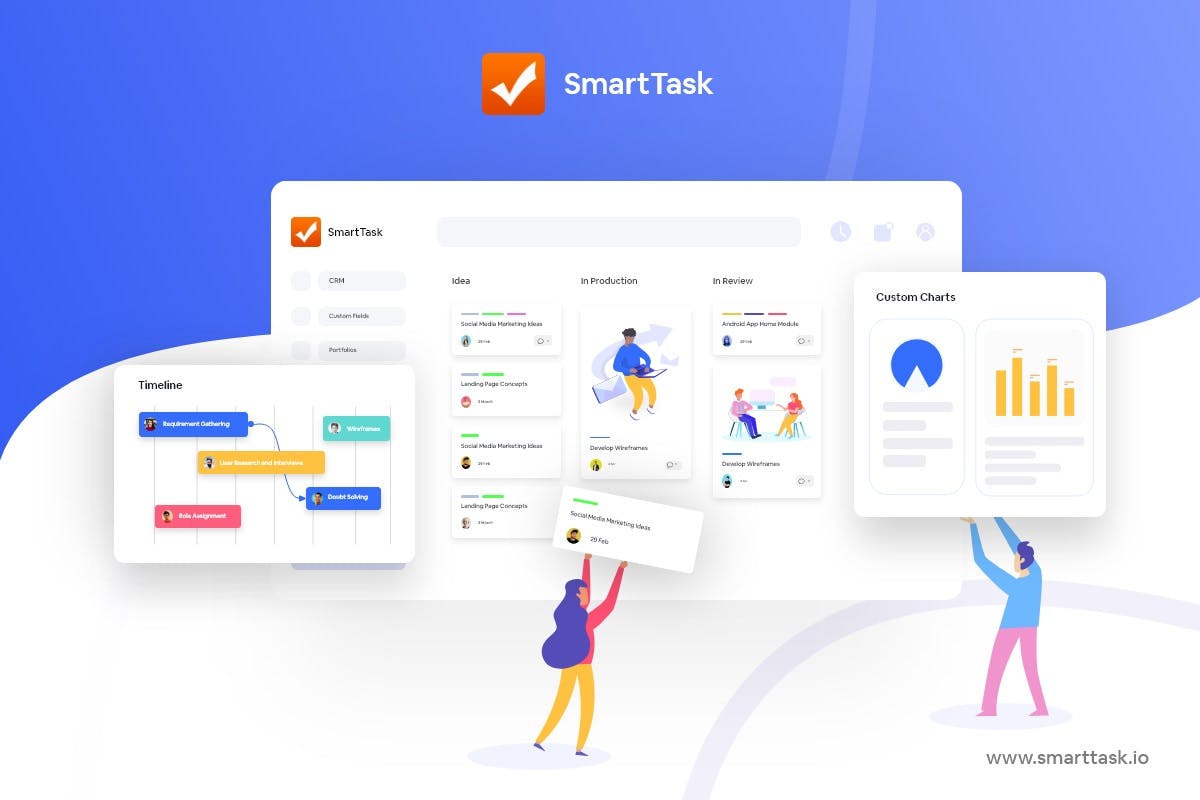
Heavyweights like Amul, ABB, Adecco, and Ecolab, along with 20,000+ teams, use SmartTask to manage all things agile.
That includes managing sprints.
SmartTask Features
- Multiple Views: Each team prefers looking at data differently. With SmartTask, they can choose between Board view, List view, Timeline, Calendar view, and more.
- Portfolios: Get a high-level overview of everything that’s happening in the Workspace.
- Time-tracking: Time reporting and estimates help understand resource utilization, budget, and cost implications.
- Workload view: Plan and allocate resources effectively such that no team member is under-utilized or overworked. It also helps you predict resource requirements.
- Task Management: Set task dependencies, due dates, priority, and tags.
- Comments & File Sharing: Share important information, attach files, and give feedback via comments. Do all of this on the task itself. No need to keep switching windows.
- Newsfeed: Save hours of standup meetings with feed updates and automated Check-Ins.
- Team Communication: Seamless real-time communication with individuals (or teams) via chats, voice-recorded messages, and video meetings.
- Automation: Automate repetitive project tasks for better project performance.
- CRM & Sales: Visualize sales analytics - estimated sales, sales funnel, and user-wise analytics. Move inquiries across multiple stages, have clarity on past conversations, and plan future action points.
- White-Label: The white-labeling feature lets you brand SmartTask’s platform. Therefore, inviting your clients to your online workplace won't be a problem anymore.
- Custom Analytics: Once you're done with the project, you can check key performance metrics and download a report for evaluation and future reference.
- Reminders: Alerts, notifications, and reminders to keep teams on track.
- Pre-made templates: Expert-designed templates to help you kick things off straight away.
- 1000+ integrations: Seamless integrations to help you achieve almost everything from a single platform.
- Available on almost every platform: Web, macOS, Windows, Linux, iOS, and Android.
- Free forever!!!
Want to Manage Sprints with SmartTask? Book a Free Consultation
Plan your resources smarter with one scalable client delivery management system.
Try it Live - It's FREE


