
How to use Salesforce for Project Management
The way sales teams work has drastically changed over the years.
While initially, sales revolved around door-to-door visits and random cold-calling, today, sales deals are handled more sophisticatedly using a CRM.
This is where Salesforce comes into the picture.
In this article, we will understand what Salesforce does and whether it is the right fit for project management.
Let's get started.
What is Salesforce?
Salesforce is a customer relationship management (CRM) platform. As a cloud-based platform, it allows you to access your customer database from anywhere, anytime.
This way, not just your sales but marketing, service, IT teams can also have a 360-degree view of your customers—providing them with a clear picture of your customer’s needs.

How does Salesforce help?
Storing, updating and maintaining customers’ data is a pain. Aggravating the situation is having no way of knowing when and how to take the right action.
Why?
Your sales team gets in touch with 100s of prospects every day. It's nearly impossible to remember each and every interaction with a prospect. Further exacerbating the situation is coordinating with different internal departments for proposal, technical implementation and marketing collateral.

Salesforce resolves this problem and helps establish consistency and clarity in the customer’s journey.
Here are some ways in which Salesforce can help:
- Helps you know everything about your customers
- Allows you to develop high-quality leads based on customer profile
- Predicts what customers desire
- Helps in personalizing the customer experience
- Make informed marketing and sales decisions with the data
- Meeting customers’ changing expectations
Can Salesforce do project management?
There is no doubt that Salesforce is the most popular CRM. However, it only assists with managing customer relationships, nothing more! This is where the problem arises.
Sales doesn't happen in silos. Some of the work inevitably involves other departments and teams within the company.
But, there is no way Salesforce helps a team to collaborate and work on other important things related to sales.
A few examples of the cross-functional work involved in sales:
- Reviewing or signing an NDA or contract involving a legal team
- Running campaigns in association with marketing teams
- Offering custom solutions which need to be scoped out and reviewed by your development team
- Addressing issues or bugs during a trial phase with the help of your support team
Salesforce is, therefore, a great CRM, but unfortunately not good for project management.

But don’t worry we do have a solution for you!
The best way to manage tasks and projects while using Salesforce is to integrate a Salesforce project management tool.
Which is the best Salesforce project management tool?
You need to nail operations to provide your clients and team with the most frictionless trip from sales to service. This calls for a robust project management tool that fetches all that data from the CRM to have proper budgeting and contracting, making managing projects a breeze.
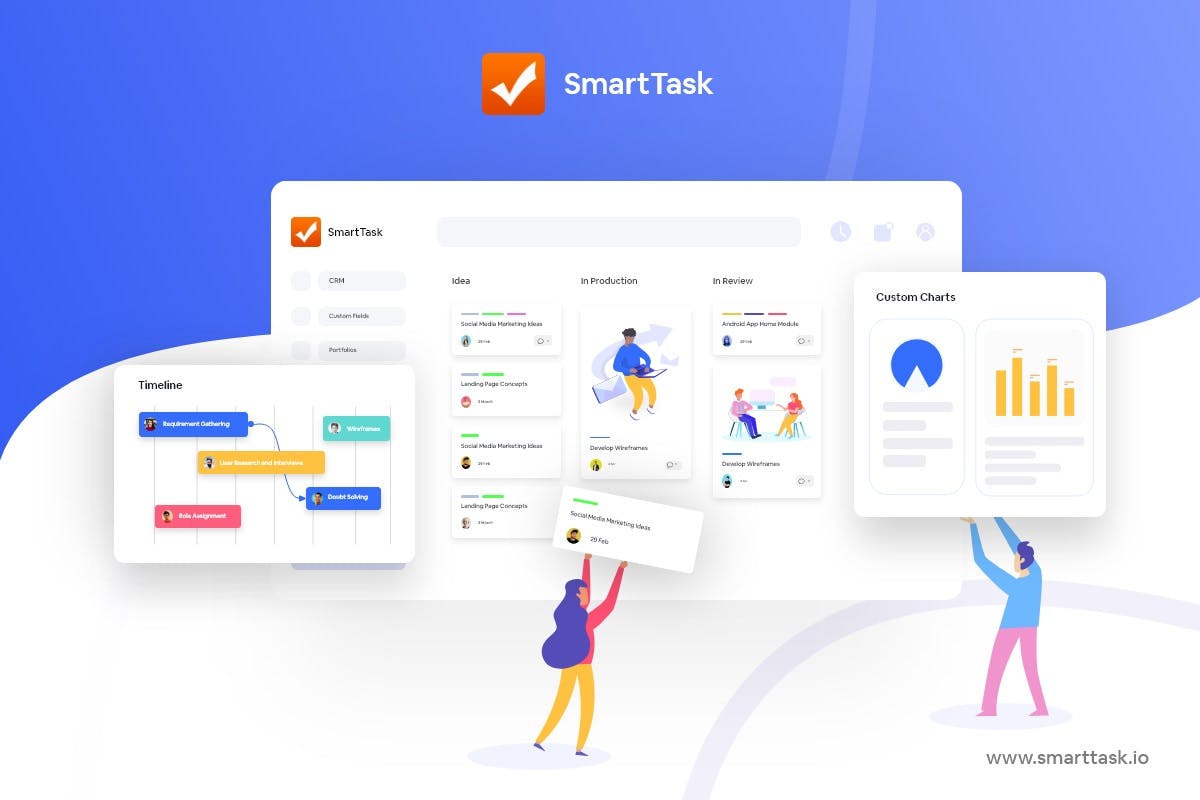
Well, SmartTask stands to be the best salesforce project management tool.
Why?
It gives you the power of project management along with time tracking and resource management under one roof. You can also invite your clients for free. In short, SmartTask is all that you need to manage your projects and sales.
SmartTask, along with Salesforce integration, delivers value to organizations by allowing your sales teams to efficiently engage with other cross-functional team members throughout the sales cycle, resulting in faster deal closure.
It also enhances collaboration and transparency while providing total visibility into processes, tasks, and overall workflow.
Here’s how SmartTask can help you with sales and related activities:
1. Creating and managing sales-related tasks
SmartTask helps you create trackable tasks for pre and post-sales needs, ensuring important steps aren't missed in your sales cycle. The tasks can be– following up with a prospect, drafting an agreement, scheduling a demo call, collaborating with the technical team for a pilot, etc.
When you create a task, you can assign it to a specific team member and add a due date to it, along with important files and descriptions.
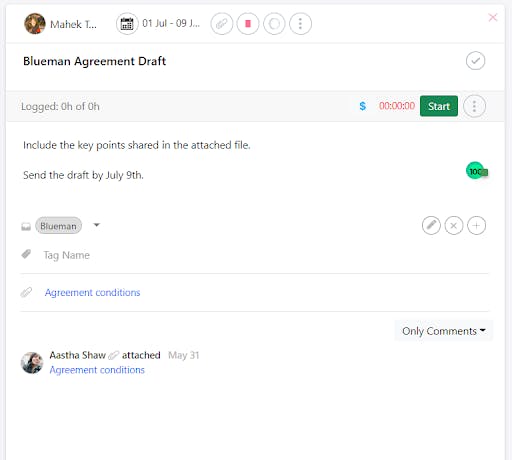
Tasks help you with internal collaboration. Invite your team members as followers and get things moving. This helps keep the team in sync and helps get work done faster. The result is a happy and satisfied client.
2. Moving deals forward
SmartTask provide a channel for better communication and collaboration among teams. This enables sales, customer success, and service teams to communicate directly with their support teams and share important updates on a deal.
You can share attachments and leave comments on the task, further tagging the teammate to whom you want to send the message.
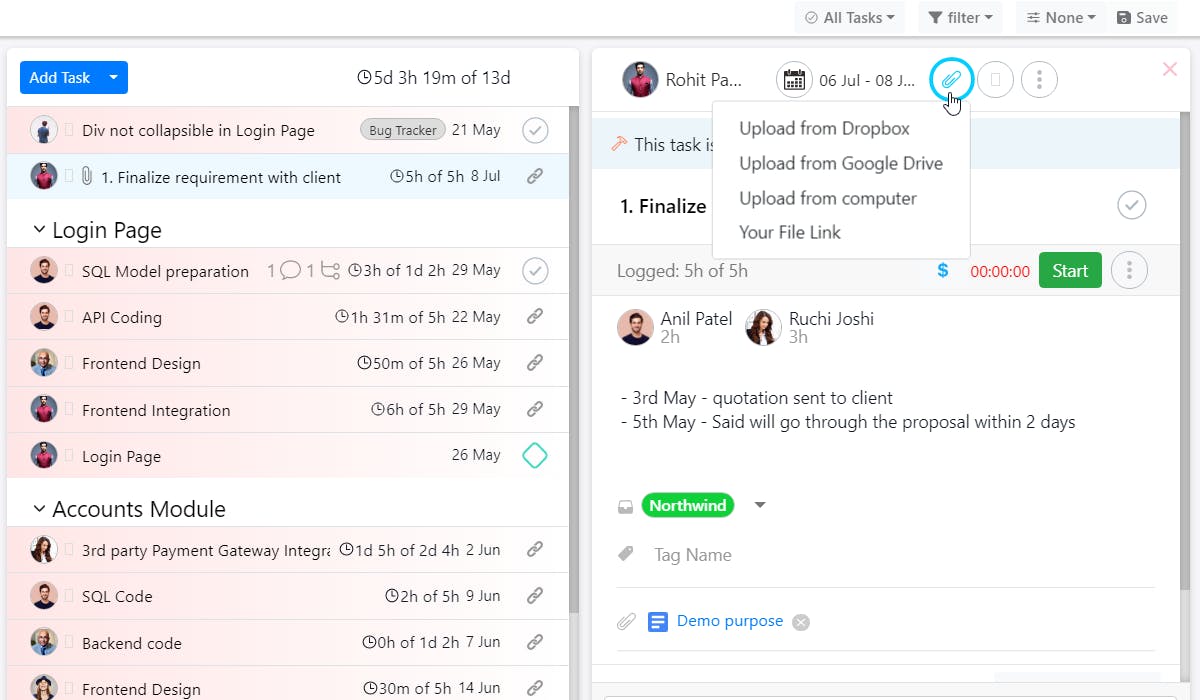
For example, if you want a technical team member to reach out to a client to resolve an issue, you can mention them in the comment and ask them to reach out. You can even create a sub-task for the same.
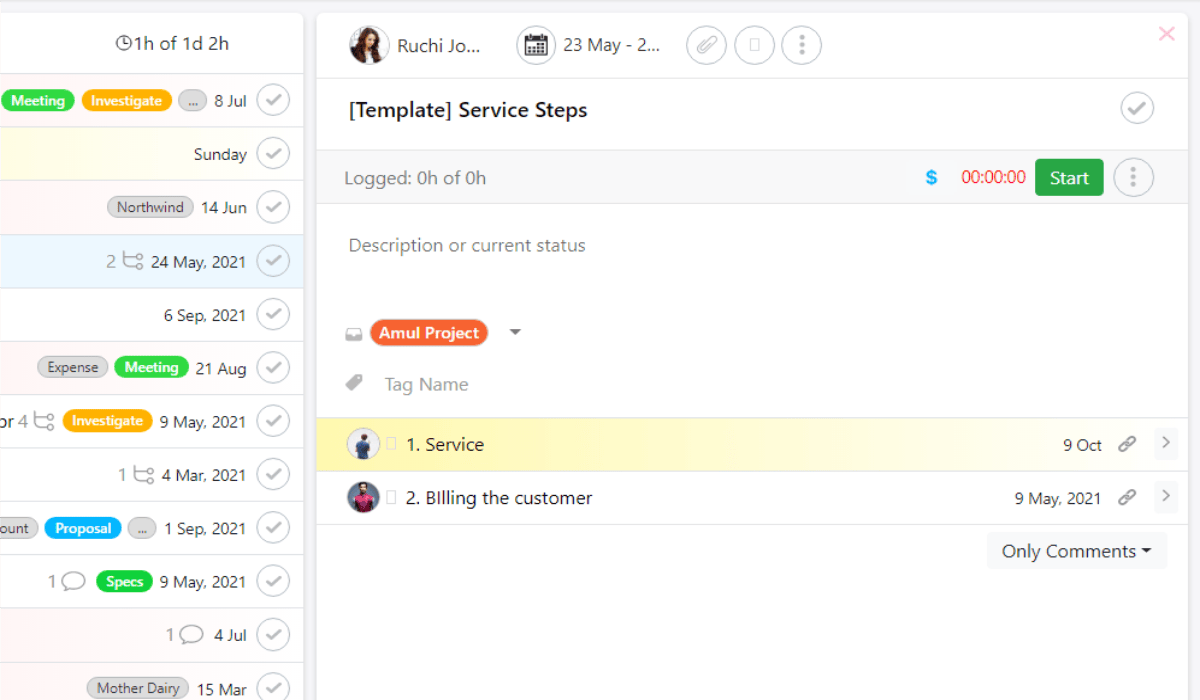
3. Enable collaboration by inviting clients to their projects
Once you have locked in the client, invite them to your workspace so that they know what is happening with their projects.
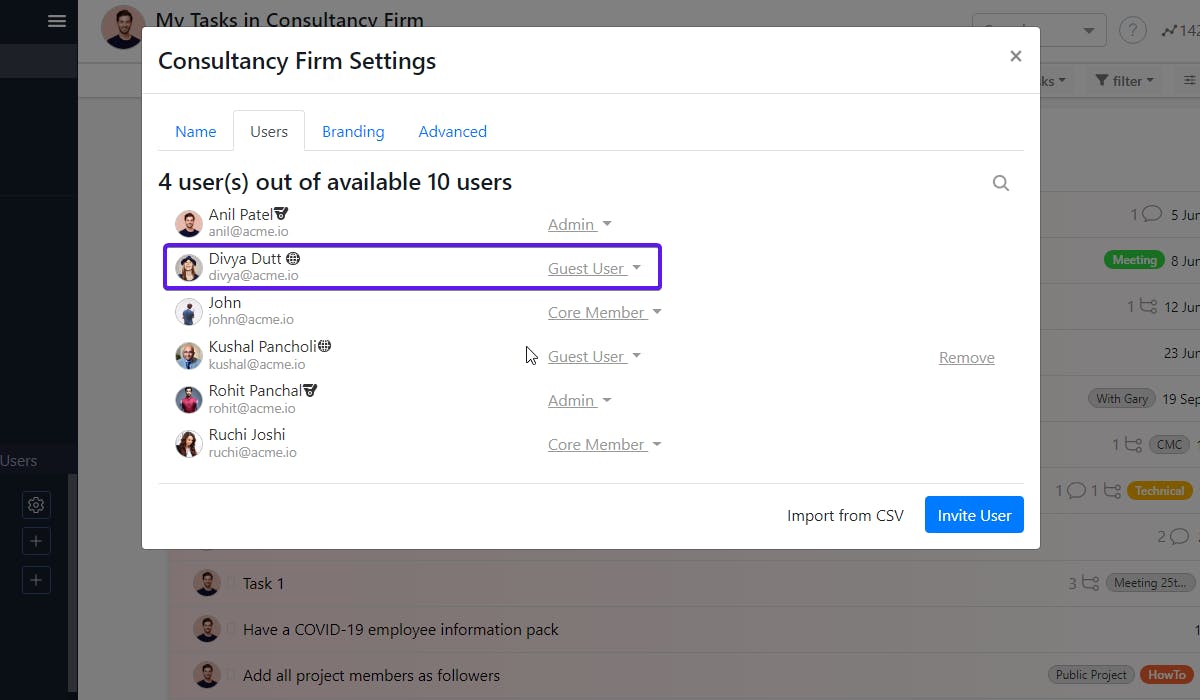
SmartTask allows you to add your clients to your workspace as guest users with limited access (Oh, btw, you can invite unlimited clients for free). You can then create projects and keep sharing the status of the work in real-time. The client gets real-time updates on the project’s progress and can even be notified in case the team needs the client’s input.
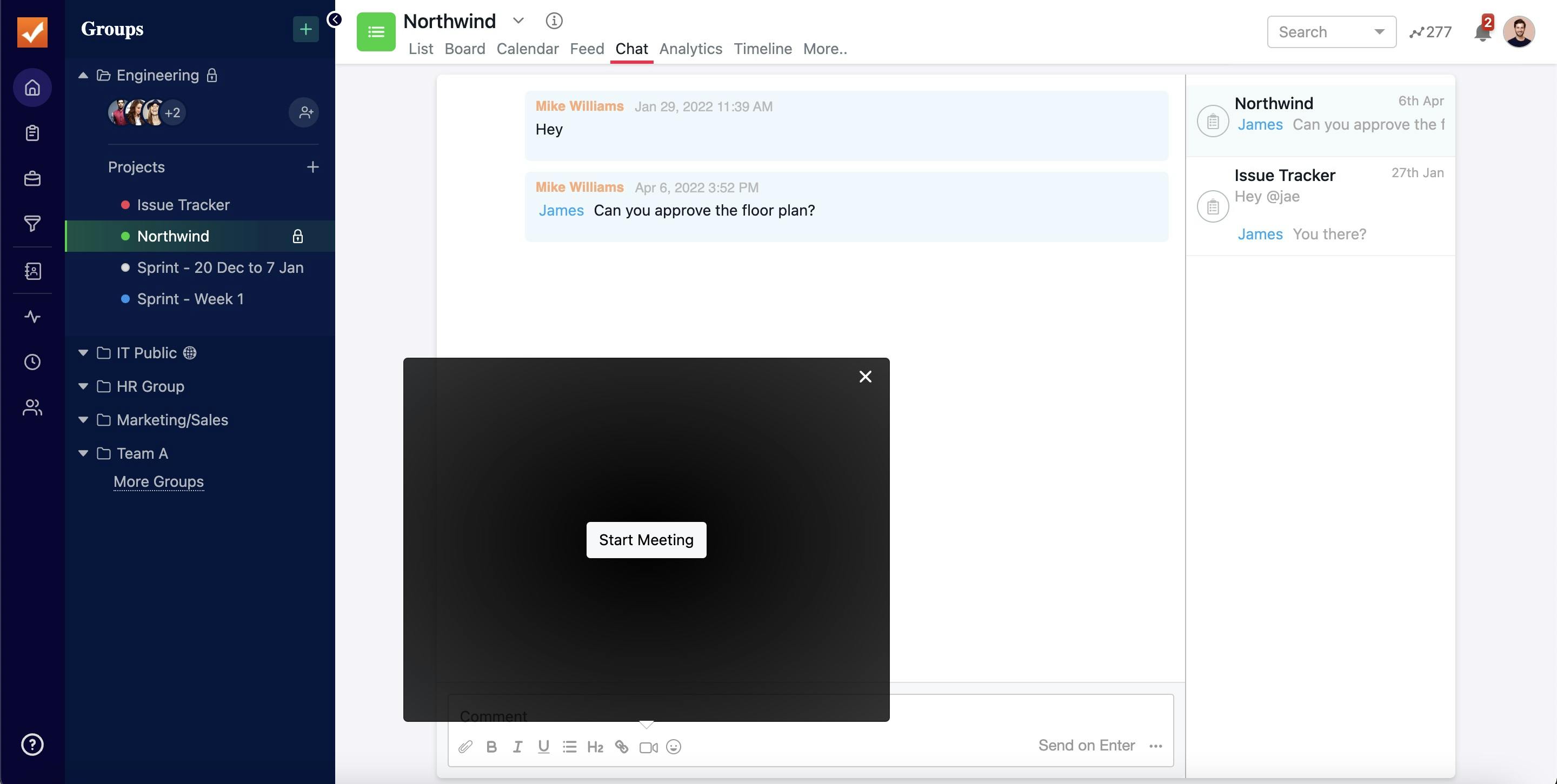
You can share important documents, project scope, agreements, and drafts, take feedback, convey important messages and hold meetings on the tasks.
4. Tracking your client’s projects
It’s important to understand how projects are progressing and ensure that they are accomplished on time.
The best way to do so is via utilizing SmartTask’s timeline view that can help you track how things are progressing in real-time – whether you are on schedule, what are the milestones, dependencies, critical path, and more.
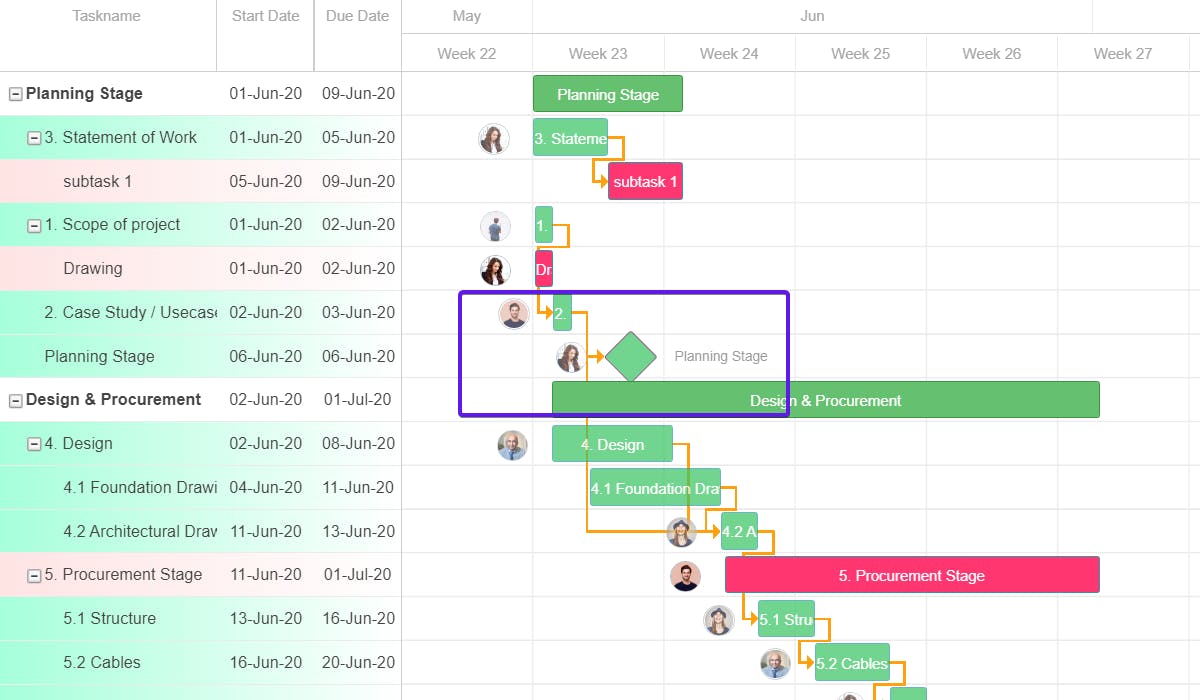
It even lets you compare your current progress with the project’s baseline to identify the bottlenecks and take care of them before it's too late.
5. Time tracking and billing
To ensure that you don’t go over budget, it's critical to account for the time and cost spent on a task.
With SmartTask’s in-built time tracking feature you can add time and cost estimates to each task and track the billable hours.
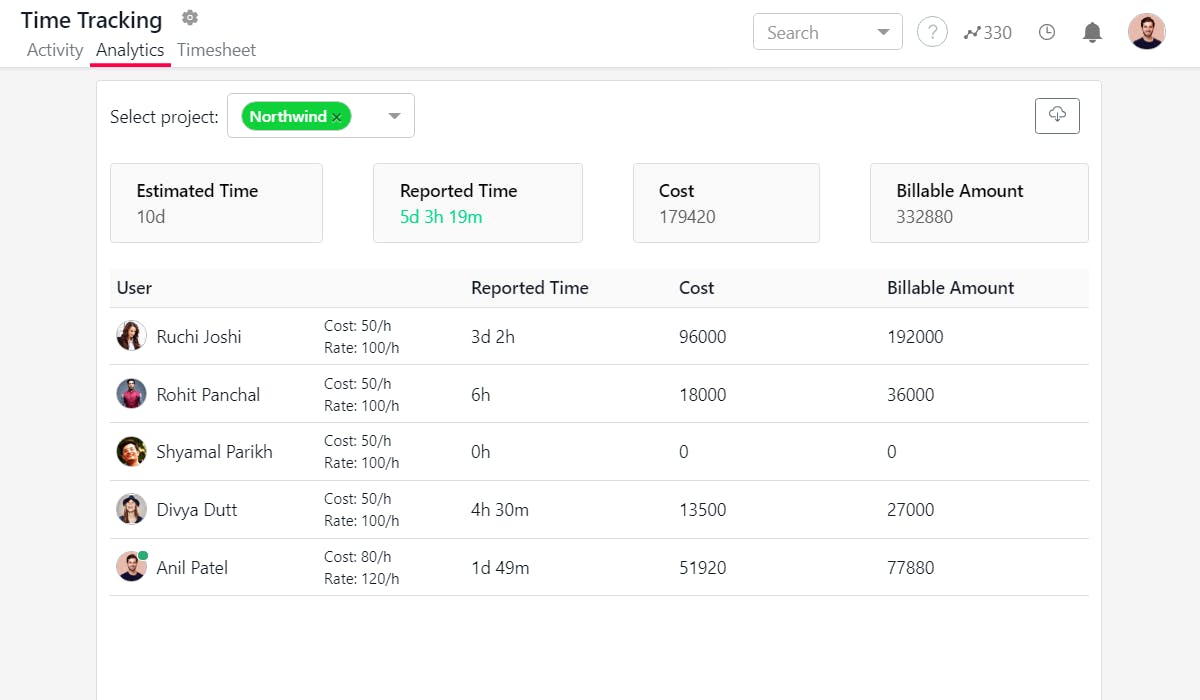
This way you will be able to keep things transparent with your clients and charge them properly.
This is how SmartTask proves to be the best tool for your teams and makes them more efficient.
That’s not all. When it comes to project management, SmartTask offers a lot more:
SmartTask Features -
- Multiple Views: Each team prefers looking at data differently. With SmartTask, they can choose between Board view, List view, Timeline, Calendar view, and more.
- Portfolios: get a high-level overview of everything that’s happening in the Workspace.
- Workload view: Plan and allocate resources effectively such that no team member is under-utilized or overworked. It also helps you predict resource requirements.
- Task Management: Set task dependencies, due dates, priority, and tags.
- Comments & File Sharing: Share all important information, attach files, and give feedback through comments on the task itself.
- Newsfeed: Save hours of standup meetings with feed updates and automated Check-Ins.
- Team Communication: Seamless real-time communication with individuals or teams via chats, voice-recorded messages, and video meet.
- Automation: Automate repetitive project tasks for better project performance.
- CRM & Sales: Visualize sales analytics - estimated sales, sales funnel, and user-wise analytics. Move inquiries across multiple stages and have clarity on past conversations and next action points.
- White-Label: The white-labeling feature lets you brand SmartTask’s platform. Therefore, inviting your clients to your online workplace won't be a problem anymore.
- Custom Analytics: Once you are done with the project, you can easily check on the performance, and key metrics and download it as a report for evaluation and future reference.
- Reminders: Alerts, notifications, and reminders to keep teams on track.
- Pre-made templates
- 1000+ integrations: Seamless integrations to help you achieve almost everything from one single platform.
- Available on almost every platform: Web, macOS, Windows, Linux, iOS, and Android.
- It's Free Forever!
You can reach out to us for a closed beta integration or even use 3rd party tools like Zapier, and Tallyfy to connect your two favorite tools.
Make the Smart Choice! Get started with SmartTask today!
Plan your resources smarter with one scalable client delivery management system.
Try it Live - It's FREE


