
Templates
Construction Roadmap
The Construction Roadmap Template ensures that all aspects of the construction project are organized and on track, enabling effective management and timely completion.
Use TemplateCategories
What is a Construction Roadmap Template?
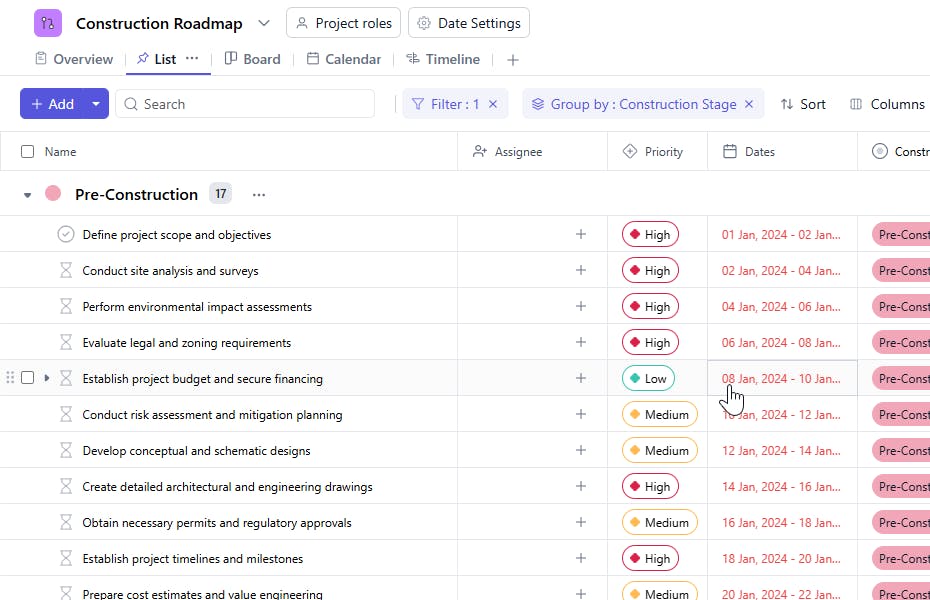
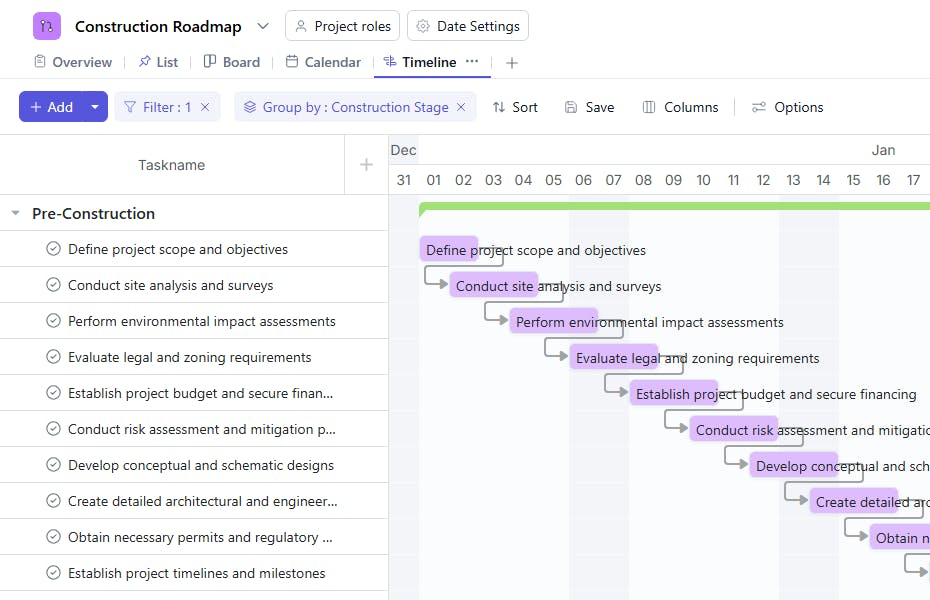
A Construction Roadmap Template serves as a comprehensive tool for managing and organizing construction project details. It helps track key phases, tasks, budgets, timelines, and approvals, ensuring all project components are aligned and executed according to plan.
Here’s a closer look at its key features.
Construction Roadmap Template: Key Features
- Comprehensive Project Tracking: Track all phases of the construction project, including planning, budgeting, design, procurement, and construction stages.
- Task Assignment & Monitoring: Assign tasks to team members, set deadlines, and monitor progress to ensure the project stays on schedule.
- Resource Management: Monitor resources, including labor, materials, and equipment, ensuring everything is available when needed.
- Milestone & Deadline Tracking: Set milestones and track their completion to ensure the project is on target and meets key deadlines.
- Budget Monitoring: Keep track of project costs, including labor, materials, and other expenses, to stay within budget.
- Collaboration Tools: Share updates, collaborate in real-time, and ensure seamless communication between project managers, contractors, and stakeholders.
How to Use the Construction Roadmap Template?
Here’s a step-by-step guide to using SmartTask’s Construction Roadmap Template:
- Set Up Your Construction Project: Create a new project and select the Construction Roadmap template to get started.
- Customize Stages & Milestones: Tailor the template by setting your project’s specific stages, milestones, and deadlines.
- Assign Tasks & Responsibilities: Add tasks for each phase of the construction project, assigning them to appropriate team members, contractors, or stakeholders.
- Track Resource Usage: Enter resources like labor, equipment, and materials, and monitor their usage and availability.
- Monitor Progress & Budgets: Track the completion of milestones and tasks, ensuring the project stays on time and within budget.
- Collaborate in Real-Time: Share updates, feedback, and documents with your team using SmartTask’s communication and file-sharing tools.
Custom Fields for Enhanced Organization
This Construction Roadmap Template includes the following fields for better tracking and management:
- Construction Stage: Design, Foundation, Structure.
- Approval Status: Pending, Approved, Rejected
- Quality Check: Status or result of quality inspections or checks.
Additional Customization Options
Here are a few ways to further customize the Construction Roadmap Template:
- Progress Monitoring: Add a field to track the percentage of completion for each task or phase.
- Risk Assessment: Include a section for logging potential risks and mitigation strategies.
- Resource Management: Track materials, equipment, and personnel required for each task.
- Subcontractor Details: Add fields to manage subcontractor assignments and progress.
- Completion Confirmation: Include a section to confirm the final completion of tasks and phases.


