
Templates
Event Management
The Event Management Template serves as your complete command center for orchestrating successful events—from initial concept to final execution.
Use TemplateCategories
Slide 1 of 2 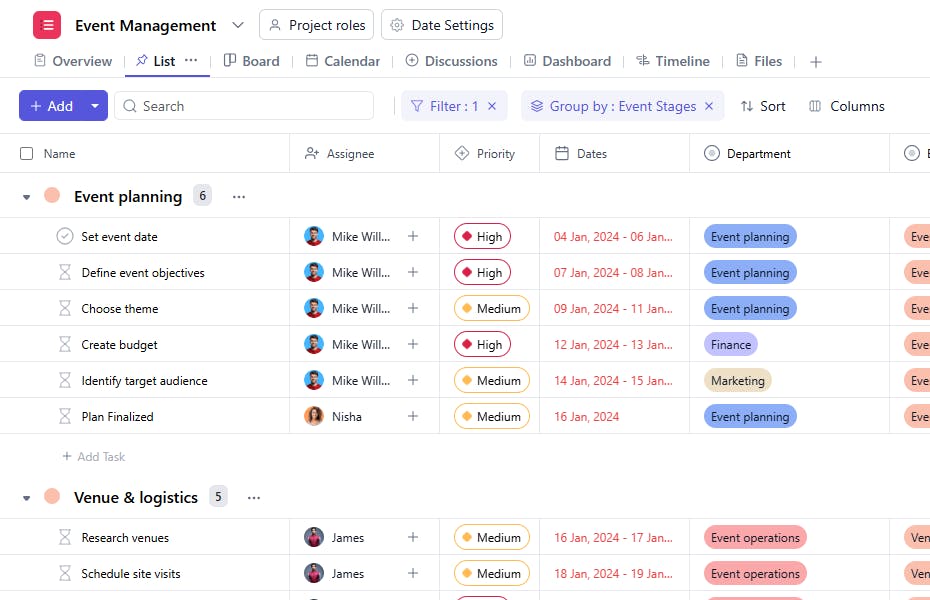
Slide 2 of 2 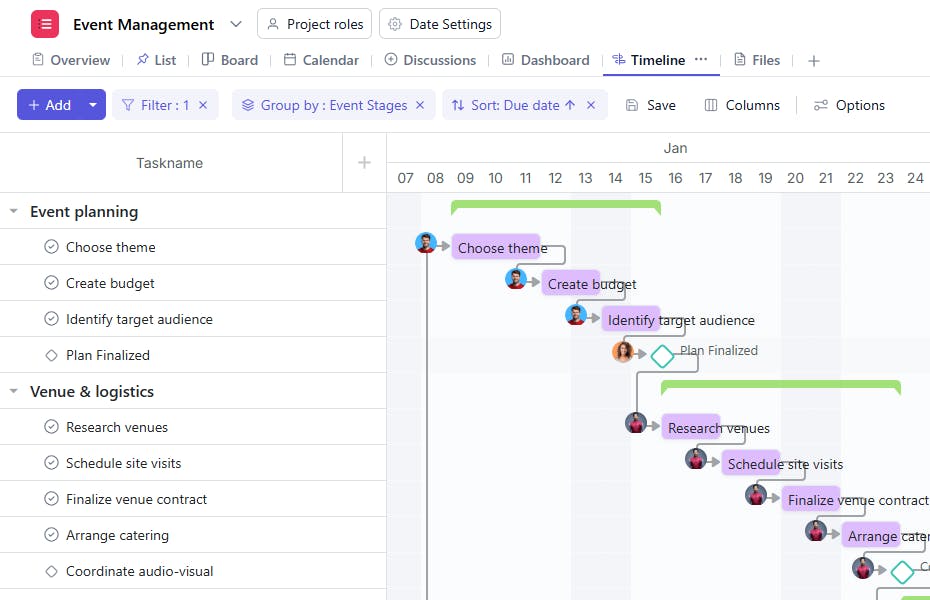
What is the Event Management Template?
The Event Management Template provides a structured framework to help you manage every aspect of your event. From setting goals to executing the big day, this template guides you through each phase with clarity and precision.
Here’s a closer look at its key features:
Event Management Template: Key Features
- Comprehensive Event Overview: Capture all essential event elements—from venue layouts to vendor contracts—in one centralized dashboard. This ensures every aspect of your event is visible and manageable at a glance.
- Seamless Timeline Management: Track all event activities—from early planning phases to day-of execution—keeping your entire team synchronized and deadlines met. Built-in scheduling tools help prevent conflicts and ensure smooth progression.
- Collaborative Workflow System: Assign responsibilities, update task statuses, and prioritize activities to keep your team aligned. Real-time updates and clear ownership structures eliminate confusion and overlap.
- Automated Progress Tracking: Built-in checkpoints and milestone notifications help prevent oversights and delays. Smart alerts keep everyone informed of upcoming deadlines and critical tasks requiring attention.
How to Use the Event Management Template
Here’s a step-by-step guide to using SmartTask’s Event Management Template for your next event:
- Define Your Event Goals: Start by setting the purpose, budget, and theme of your event. This foundation will guide all planning decisions.
- Assign Tasks and Roles: Organize your team by assigning specific tasks and responsibilities to ensure nothing is overlooked. Stay on top of progress by tracking each task.
- Identify Key Partners: Reach out to sponsors, vendors, and collaborators early to ensure everyone is aligned. Set clear expectations and timelines for each partnership.
- Plan Your Marketing Strategy: Develop a comprehensive plan to promote your event. Identify target audiences, set milestones, and use various channels to generate excitement.
- Execute the Event: Stick to your plan and monitor progress in real time. Keep everything running smoothly and ensure the event meets its goals with confidence.
Custom Fields for Enhanced Organization
SmartTask’s event management template includes several custom fields, including:
- Event Stage: Event planning, Venue & Logistics, Marketing, Program agenda, Execution,
- Department: Event planning, Operation, Finance, Creative agency, Marketing.
Additional Customization Options
Here are a few more ways to customize the Event Management Template:
- Advanced Automation: Set up intelligent notifications for critical deadlines, milestone completions, budget approvals, and task dependencies. Keep your entire team informed with automated progress updates and reminder cascades.
- Real-Time Collaboration Hub: Enable seamless team communication through integrated chat, comment threads, and video conferencing. Share updates, files, and feedback instantly while maintaining a clear record of all project discussions.
- Dynamic Timeline Management: Visualize your entire event schedule through interactive timelines and Gantt charts. Easily adjust dates, identify conflicts, and optimize resource allocation with drag-and-drop simplicity.


