
Templates
Bug & Issue Tracking
The Bug & Issue Tracking Template ensures efficient identification, tracking, and resolution of software bugs and issues, helping teams maintain high-quality standards throughout the development lifecycle.
Use TemplateCategories
What is a Bug & Issue Tracking Template?
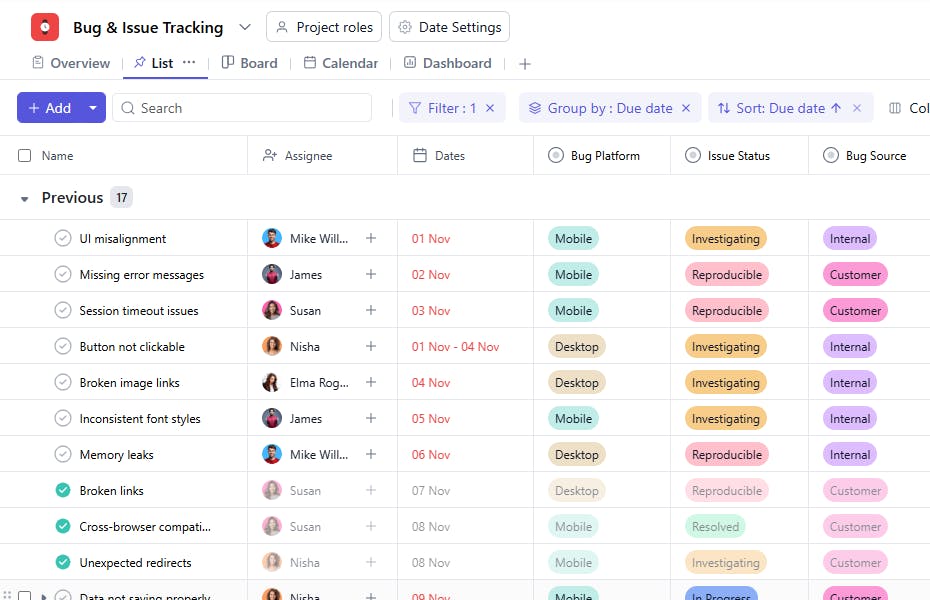
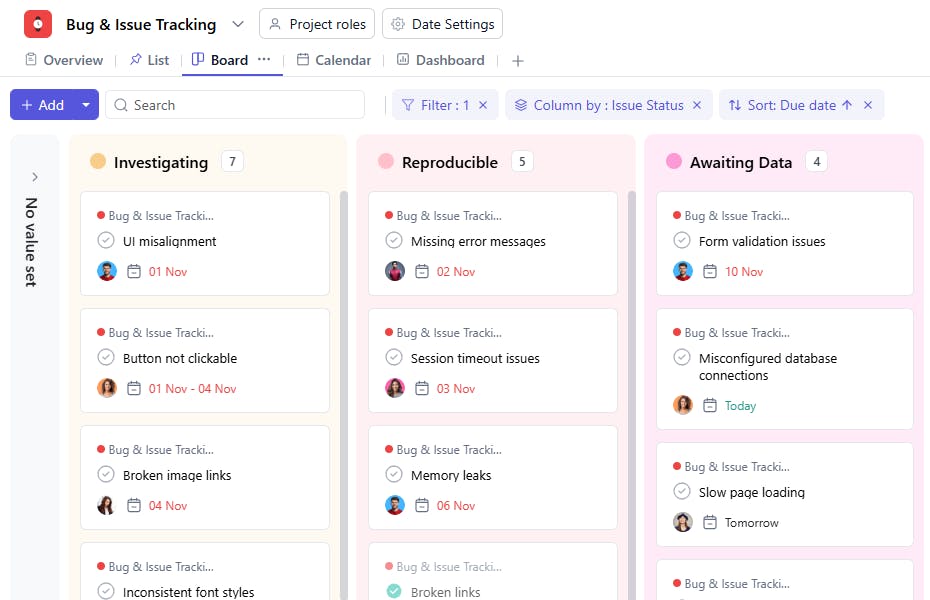
A Bug & Issue Tracking Template is a structured tool designed to manage software bugs and issues systematically. It includes details like task names, bug IDs, sources, assignees, report types, platforms, reported dates, descriptions, and issue statuses. This ensures bugs and issues are addressed efficiently, minimizing disruptions to the project.
Here’s a closer look at its key features:
Bug & Issue Tracking Template: Key Features
- Detailed Bug Reports: Record essential details like bug severity, description, affected module, and steps to reproduce. This ensures clear communication between team members.
- Efficient Issue Prioritization: Categorize bugs based on their impact and priority to focus on critical issues first.
- Collaborative Task Management: Assign bugs to team members, update statuses, and monitor progress to ensure timely resolution.
- Automated Alerts & Reminders: Built-in notifications keep everyone updated on bug fixes, upcoming deadlines, and critical blockers.
How to Use the Bug & Issue Tracking Template
Follow this step-by-step guide to streamline your bug resolution process using SmartTask’s Bug & Issue Tracking Template:
- Select and Customize: Choose the Bug & Issue Tracking Template from SmartTask’s library. Customize fields like severity levels, issue types, and resolution status based on your project needs.
- Log Bugs and Issues: Document bugs by providing clear descriptions, reproduction steps, and screenshots. You can also import bug reports from other tools or spreadsheets.
- Assign Tasks: Delegate bug fixes to developers, and ensure proper testing by assigning follow-up tasks to QA members.
- Set Priorities and Deadlines: Prioritize bugs based on severity and impact, and assign deadlines to ensure timely resolution.
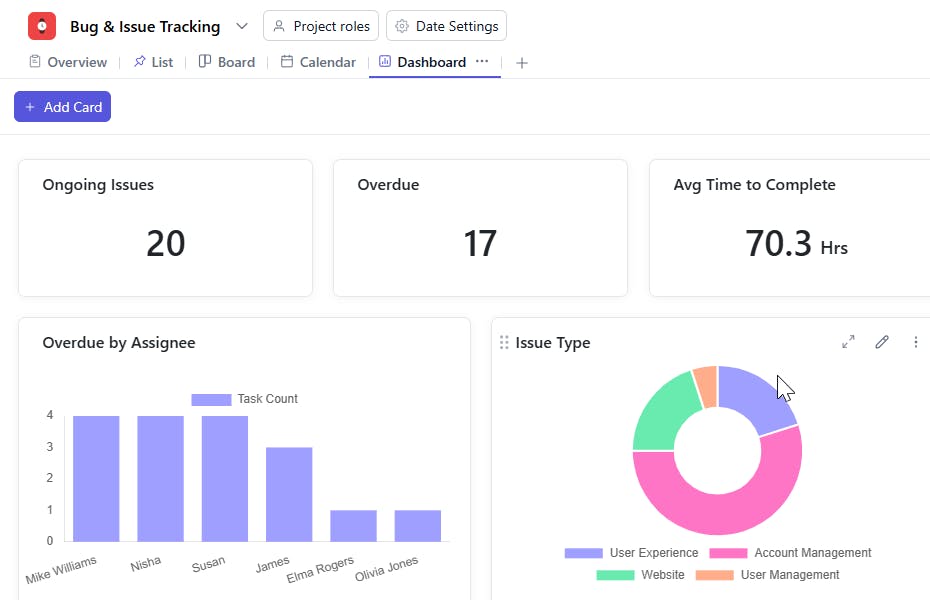
- Monitor Progress: Track bug statuses from "Open" to "Resolved" using real-time dashboards. Use SmartTask’s collaboration tools for quick discussions and updates.
- Review & Retrospect: After bug resolution, conduct a retrospective to identify patterns and improve processes.
Custom Fields for Enhanced Organization
This Bug & Issue Tracking Template includes the following fields for better tracking and management:
- Bug ID: A unique identifier assigned to each bug or issue.
- Source: Code Module, User Feedback, Test Case
- Report Type: User Experience, Design, Product
- Platform: Web, Mobile, Desktop
- Issue Status: Investigating, Reproducible, In Progress, Resolved, On Hold
Additional Customization Options
Here are a few ways to further customize the Bug & Issue Tracking Template:
- Priority Levels: Add a field to specify the priority of each bug (e.g., Critical, High, Medium, Low).
- Severity Levels: Define the severity of the bug (e.g., Minor, Major, Critical).
- Reproducibility: Add a field to note how frequently the bug occurs (e.g., Always, Sometimes, Rarely).
- Resolution Date: Record the date when the issue was resolved.
- Steps to Reproduce: Include detailed steps to replicate the issue.
- Comments: Add a section for observations, additional feedback, or notes.


