
Templates
Architecture Design
The Architecture Design Template provides a well-organized framework to manage architectural projects from concept to completion. It ensures efficient coordination between design teams, engineers, and clients, while maintaining a clear workflow for task dependencies, reviews, and approvals. This template is ideal for architecture firms, interior design studios, and construction agencies looking to streamline project management and enhance client satisfaction.
Use TemplateCategories
What is an Architecture Design Template?
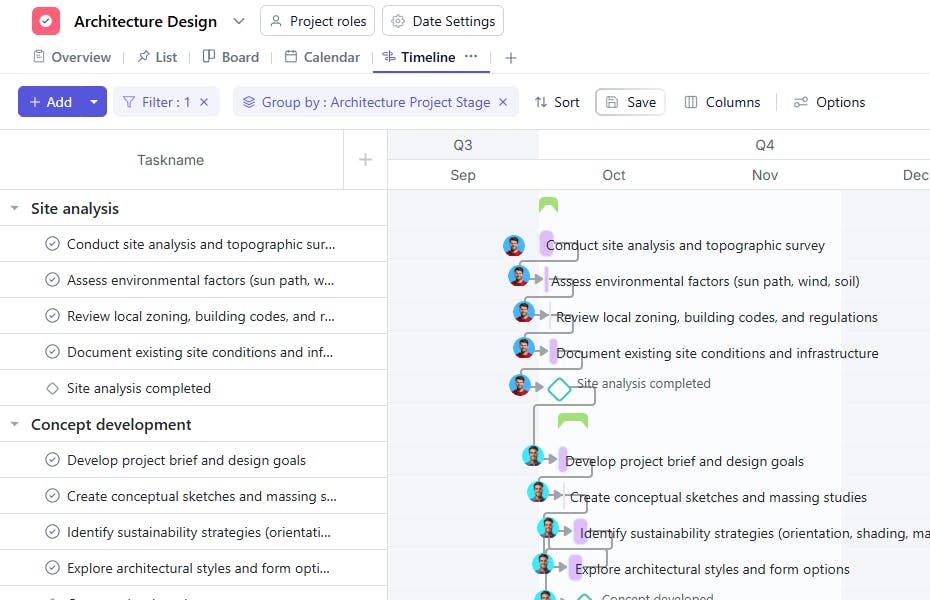
An Architecture Design Template is a structured project management system designed to help architectural teams plan, execute, and monitor design-related activities. It enables teams to organize work stages — from initial concept and client briefing to detailed design, approvals, and final documentation — within a single workspace.
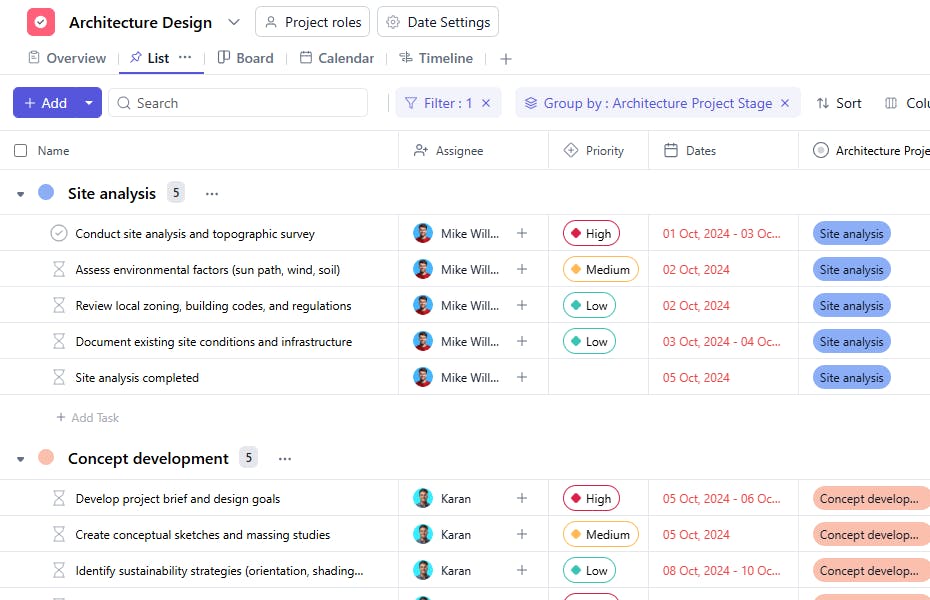
Each task is mapped to an Architecture Project Stage and linked with dependencies to maintain workflow order. This ensures that each design milestone is completed and reviewed systematically, minimizing errors and improving project delivery timelines.
Here’s a closer look at its key features:
Architecture Design Template: Key Features
- Stage-Based Project Flow: Manage architectural projects across stages such as Concept Development, Schematic Design, Design Development, Client Review, and Final Approval.
- Task Dependency Management: Identify interrelated tasks to maintain workflow continuity and avoid delays in project handoffs.
- Client Collaboration: Share progress, design drafts, and documents for timely client feedback and review.
- Approval and Review Tracking: Monitor approval status and client reviews to ensure design quality and compliance with client expectations.
- Time Estimation and Prioritization: Assign estimated days and priorities to each task for better time management and resource allocation.
How to Use the Architecture Design Template
- Define Project Stages: Set up main stages such as Concept, Schematic Design, Detailed Design, Client Review, and Final Documentation.
- Add Tasks Under Each Stage: Create tasks like site analysis, layout preparation, 3D rendering, and design approval under the respective stages.
- Assign Responsibilities: Allocate each task to architects, designers, or engineers responsible for its completion.
- Track Approvals and Reviews: Update the Approval Status and Reviewed by Clients fields to ensure smooth communication and timely feedback.
- Manage Dependencies: Use the Dependency field to define which tasks must be completed before others can begin.
- Monitor Progress: Regularly update task statuses, estimated days, and timelines to ensure project milestones are met as scheduled.
Custom Fields for Enhanced Organization
This Architecture Design Template includes the following custom fields for detailed tracking and management:
- Architecture Project Stage: Indicates the current project phase — Concept, Schematic, Detailed Design, Review, or Approval.
- Task Type: Specifies the category such as Design, Drafting, Rendering, or Review.
- Estimated Days: The expected number of days required to complete the task.
- Approval Status: Displays whether the design or document is Pending, Approved, or Needs Revision.
- Dependency: Lists any preceding tasks that must be completed before the current one starts.
- Reviewed by Clients: Indicates if the client has reviewed the task output (Yes/No).
- Description: Provides additional details or notes about the task.
Additional Customization Options
You can further enhance the Architecture Design Template by adding:
- Design Version: To track iterations of design updates.
- File Link: For quick access to CAD drawings or 3D renders.
- Budget Estimate: To associate cost projections with each phase.
- Reviewer Comments: To document feedback from clients or internal teams.
- Status Tracker: To mark each stage as In Progress, On Hold, or Completed.


